WriteHuman Review (2026): Privacy, the Enhanced-Mode Cliff, and Who It's For

Independent review
WriteHuman
A calm, privacy-first humanizer with the best Trustpilot reputation in this set, whose strongest output sits behind the Enhanced-mode paywall, and whose name is easily confused with WriteHybrid.
Disclosure. I'm Huzefa Abbasi, founder of WriteHybrid, so factor that bias in. This review is based on hands-on use of WriteHuman, on its public pricing as I verified it in June 2026, and on publicly visible customer reviews, not a controlled lab benchmark. Whether any humanizer clears a detector depends on your exact text and the specific checker your institution runs, so treat every "undetectable" claim, including ones I make for my own tool, as something to verify on your own draft.
A note on names. WriteHuman and WriteHybrid are different products from different companies. If you arrived here looking for WriteHuman, this is an independent review of it, not a review of my own tool wearing a similar name.
What WriteHuman is, and who it's for
WriteHuman's landing page is deliberately quiet. There's no wall of detector logos, no "don't get caught" panic headline; instead, the privacy line, your content is never stored, sits right at the top. In a category that mostly sells fear, that restraint is a positioning choice, and it works on the writers who find the usual marketing distasteful. In my testing the privacy stance held up rather than reading as a slogan: the terms state no content storage, and the data footprint during normal use was minimal. For ghostwriters and consultants handling client manuscripts under NDA, that's not a nice-to-have, it's the deciding factor.
The audience WriteHuman fits best, then, is the privacy-conscious professional: a freelance writer, ghostwriter, or marketer who runs client or confidential drafts through a humanizing pass and genuinely cares where that text goes. It also suits anyone who simply prefers a calm, uncluttered tool over the adrenaline-soaked alternatives.
It's worth naming who it fits less well, too, because the name confusion sends a lot of mismatched traffic its way. WriteHuman is a single-purpose humanizing layer, not a writing assistant and not an academic-submission safety net. Students arriving expecting a tool that reliably clears institutional checkers are the group most likely to be disappointed, not because the product is bad, but because that's the use case it's weakest at, as the independent testing below shows. Knowing it's a content-marketing tool first sets the right expectation.
The single most important thing to understand before paying is the two-tier mode split. WriteHuman offers Standard and Enhanced modes, and the difference between them is not cosmetic. Enhanced, which requires the Pro plan, produced noticeably stronger, cleaner output than Standard on the cheaper Basic tier. The marketing doesn't draw a bright enough line around this, so a Basic buyer who fell for the homepage demo can end up with a weaker product than they thought they were buying. That quality cliff shapes most of the review below.
Key features that actually matter
Marketing copy won't tell you how a humanizer behaves once you're relying on it weekly. Here's what actually governs the experience.
Standard vs Enhanced modes
This is the headline feature and the headline caveat at once. Standard mode, which is what you get on Basic, leans on filler phrasing, "it should be noted that," "in this regard," "when it comes to", that pads the output without adding meaning, and occasionally introduces the kind of small grammar slip reviewers complain about. Enhanced mode, unlocked on Pro, is a different experience: tighter, more natural, fewer crutch phrases. If you evaluate WriteHuman on Standard and judge it weak, you may simply be testing the wrong mode. The rewrite most people picture when they imagine WriteHuman lives on Pro.
Privacy and data handling
This is WriteHuman's genuine differentiator, and I'll give it full credit. The no-storage stance is stated plainly in the terms, and it's consistent with how the product behaves. For a ghostwriter handling a client's unpublished book or a consultant working with confidential internal documents, "your content is never stored" is a materially different promise from tools that retain processing logs. It's worth weighing against everything else here, because for some buyers it outranks price and modes combined.
Input and word limits
The editor accepts pasted input up to roughly 10,000 characters, about 1,540 words, so most blog posts and shorter essays fit in one pass, while a long chapter needs splitting. That's a middle-of-the-road ceiling: more generous than the 8,000-character tools, short of the 15,000-character class. For WriteHuman's typical use it rarely gets in the way.
Free tier and trial
WriteHuman provides a 200-word, one-time trial. Like most lifetime trials in this category, it's enough to see the interface and the general shape of the output, but too small to properly evaluate, and here that limitation bites twice, because the trial runs on Standard, not the Enhanced mode you'd actually buy Pro for. You can sample the tool, but you can't sample the version that matters before paying.
Integrations and workflow
WriteHuman is a website-first product. There's no dedicated academic mode, no public API, and no Chrome extension or Word add-in, so formal-register control and any kind of automation are manual. For a solo writer pasting drafts into the editor that's perfectly workable; for a team wanting to script humanizing into a content pipeline, it's a hard ceiling.
Support and billing experience
Support and billing are where WriteHuman's otherwise strong reputation takes its hits, detailed in the sentiment section below. The recurring structural issue is the annual-versus-monthly billing flow, which several reviewers say led them to a yearly charge when they intended a monthly one. To its credit, WriteHuman replies to a clear majority of negative reviews and has issued refunds within its 14-day window when pushed, so the support exists, it's the upfront clarity that trips people up.
The editor in practice, and an illustrative rewrite
The interface is minimal and pleasant, and the privacy framing carries through the whole experience rather than living only on the landing page. The paste-and-run loop is quick, and the calm design genuinely is easier to spend time in than the logo-wall competitors.
The story in daily use is the two-tier split I keep returning to, because it's the thing that most affects whether you'll be satisfied. On Basic's Standard mode, the output is serviceable but padded, you'll spend time deleting "it should be noted that" and similar filler, and on longer or more technical passages the occasional grammar slip appears. Upgrade to Pro and Enhanced mode, and the rewrite tightens up into something you'd lightly edit and ship. The difference is large enough that I'd tell anyone evaluating WriteHuman to test Enhanced specifically, because judging the product on Standard sells it short. There's no academic mode in either tier, so formal register remains a manual job regardless of which mode you're on.
What makes the cliff awkward is how the buying journey is structured. The homepage demo and the marketing screenshots show output that reads like Enhanced, but the cheapest paid plan delivers Standard, so the natural path of "try it, like what I see, buy the entry tier" lands you on the weaker mode. I don't think it's deliberately deceptive; it's more that the marketing doesn't separate the two clearly enough for a first-time buyer to know which one they're actually evaluating. The fix on your side is simple: assume the version you want is on Pro, and price accordingly.
A quieter thing the calm interface gets right is focus. There's no upsell modal interrupting the humanize loop, no countdown timer, no aggressive "you've been flagged!" framing, you paste, run, and read. That sounds minor until you've used the tools that do the opposite, and it's a meaningful part of why WriteHuman's reviews skew warmer than the category average even with its quirks.
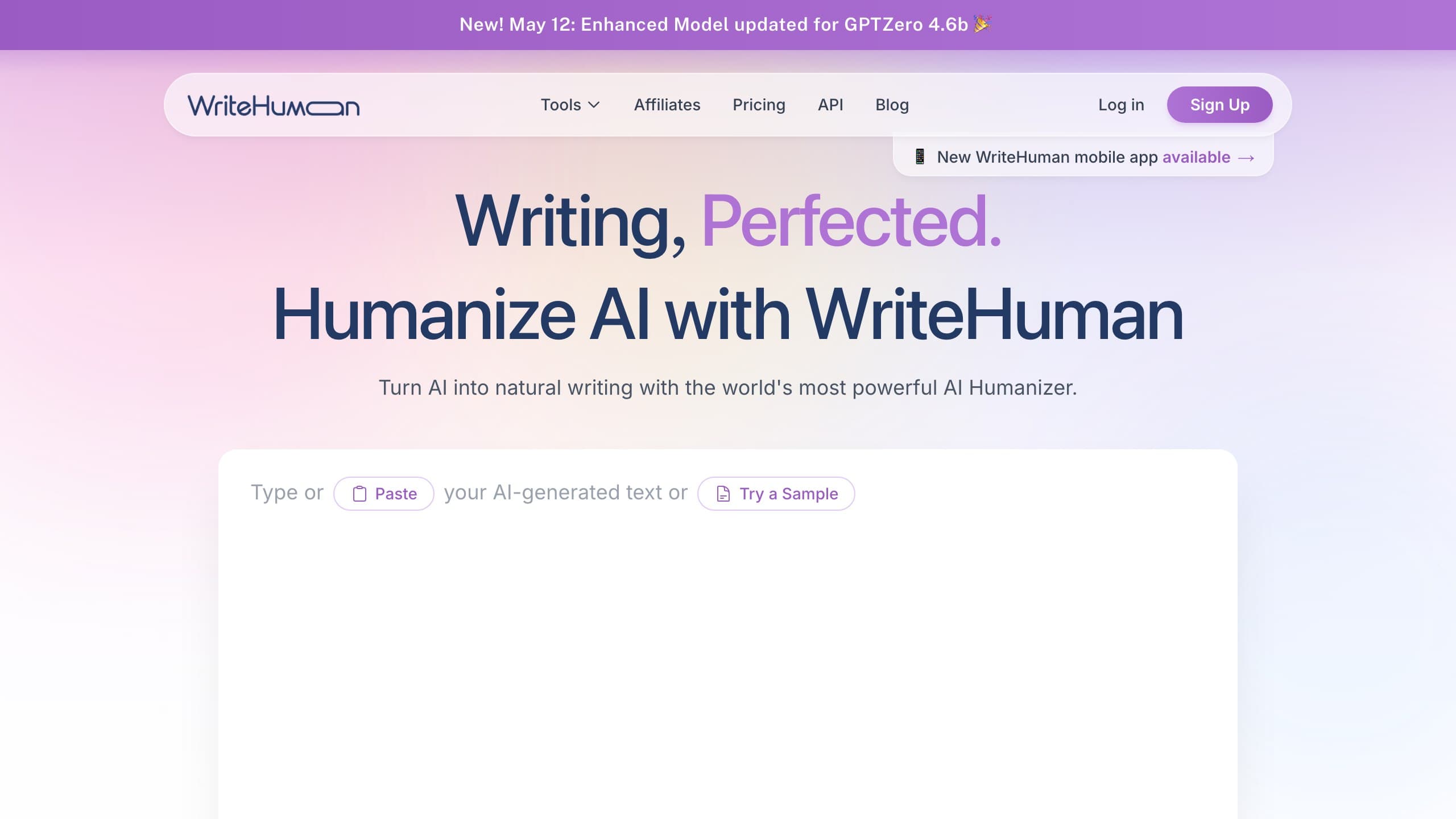
The sample below shows the kind of output Enhanced mode produces on blog copy. It illustrates the style you get after upgrading to Pro, not the weaker Standard output, and not a detection claim:
Pricing (verified June 2026)
I checked WriteHuman against its live checkout in June 2026. The thing to watch is the billing toggle: the annual and monthly views show different headline numbers, and the flow has led enough reviewers to an unintended annual charge that it's worth slowing down at checkout to confirm which cycle you're agreeing to.
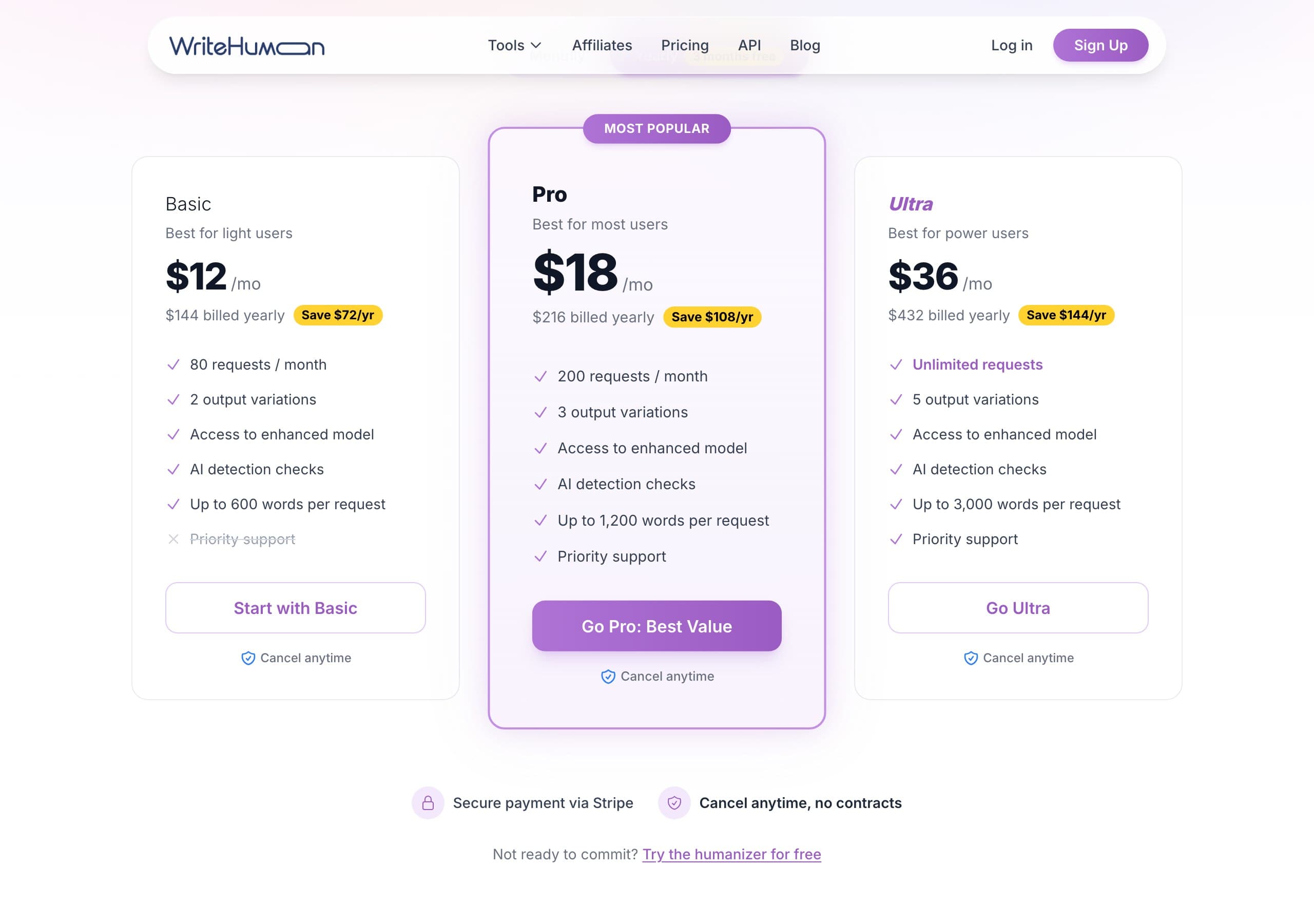
| Plan | Monthly price | Words | Mode |
|---|---|---|---|
| Free trial | $0 | 200 words, one-time | Standard only |
| Basic | $12 (≈$9 annual) | 80,000 words/mo | Standard |
| Pro | $22 (≈$17 annual) | 200,000 words/mo | Enhanced unlocked |
| Ultra | $48 (≈$36 annual) | 600,000 words/mo | Enhanced |
| Refund window | 14 days, the most generous in this comparison set | ||
The word allowances are genuinely generous across the board, far higher headline word counts than most rivals at the same price. On the per-word math, Basic is about $0.00015 per word ($12 ÷ 80,000) and Pro is roughly $0.00011 per word ($22 ÷ 200,000), which are some of the lowest per-word rates in the category. But the per-word figure is a little misleading, because the mode you actually want lives on Pro: price the $22 Pro tier as your real entry point, not the $12 Basic plan, since Basic's Standard output is the part the reviews are lukewarm about. For comparison, WriteHybrid's Starter is $9 for 10,000 words (about $0.0009 per word) and its Pro is $19 for 50,000 words with API (about $0.00038 per word), WriteHuman wins decisively on raw word volume, while WriteHybrid is cheaper to start and includes API and a dedicated Academic mode.
The honest framing: WriteHuman is a volume bargain if you'll commit to Pro and you value the privacy stance, and a slightly disappointing one if you anchor on the $12 Basic price and expect homepage-quality output from it.
How to use WriteHuman for the best results
Getting the most from WriteHuman is mostly about testing the right mode and reading the output honestly:
- Evaluate on Enhanced, not Standard. If you're judging whether WriteHuman is worth it, the Pro-tier Enhanced mode is the version that matters, testing Standard will undersell the product.
- Strip the filler. On Standard especially, delete the "it should be noted that"-style padding the rewrite adds; it inflates length without improving the text.
- Add formality by hand. With no academic mode in either tier, manually restore formal connectives and terminology for graded or professional work.
- Lean on the privacy stance when it counts. For confidential client manuscripts, the no-storage policy is a genuine reason to choose this tool, use it where that matters.
- Confirm your billing cycle. Double-check monthly versus annual at checkout so you don't end up on a yearly charge you didn't intend.
- Verify on the detector that grades you. Run the final text through your institution's or client's actual checker, because that's the only result that counts.
What real users say about WriteHuman
I read through WriteHuman's Trustpilot profile, the SaaSHub and Reddit discussion, and a handful of independent long-form reviews to test my impressions against a wider sample. The reputation here is the strongest of the tools in this set: at the time of writing WriteHuman holds around 3.9 stars across 200-plus Trustpilot reviews (some trackers count closer to 300), which is a notably better profile than several rivals manage. The company also replies to roughly three-quarters of its negative reviews, which signals an active support operation rather than an absentee one.
What satisfied users genuinely praise:
- A clean, intuitive interface that's easy to navigate and pleasant to use.
- Effective, natural humanizing on blog and marketing prose, especially on Enhanced.
- A real, usable evaluation path, and an Enhanced model that reviewers agree is meaningfully better than the free or Standard experience.
The recurring complaints cluster around two themes:
- Inconsistency. The single most repeated phrase across reviews is some version of "works sometimes, not others." The same kind of draft can read clean one day and flag the next, a paraphraser trait, and one reviewers find genuinely frustrating when stakes are high.
- Billing confusion and refunds. Several reviewers describe being charged for an annual plan when they meant to buy monthly, and some report friction getting a refund, though others note the 14-day window was honoured once support engaged.
A separate, fair caveat from independent testing: WriteHuman tends to be weaker against the toughest academic checkers, Originality.ai in particular, and Turnitin, than against general detectors like GPTZero. The pattern reviewers describe is a tool that's solid for content-marketing use and shakier for high-stakes academic submission. That's consistent with what I'd expect from surface-level rewriting against detectors purpose-built for academic text.
The balanced read: WriteHuman is a genuinely well-regarded, single-purpose humanizer that does what it says more often than not, with privacy as a real differentiator, held back mainly by run-to-run inconsistency and a checkout flow that's caught people out on billing. For its core content-marketing audience, those are manageable trade-offs; for a student betting a grade on it, they're reasons to test thoroughly first.
Why the late-2025 detector shift matters here
Detectors evolve, and that's the backdrop for WriteHuman's "works sometimes" reputation. Turnitin shipped a detector update in late August 2025 specifically aimed at humanizer output, and tools across the category became less reliable against academic checkers afterward. Originality.ai, GPTZero, and Copyleaks each revise on their own schedules too.
That moving target is the most likely explanation for the inconsistency reviewers report: output that cleared a detector last quarter can flag this quarter without anything about the tool changing. It also explains why WriteHuman is more dependable on general detection than on the academic checkers that update aggressively. The practical lesson is the same regardless of tool, a bypass claim is a snapshot of one moment against one detector version, so the only measurement worth trusting is the one you run yourself, today, on your own draft. It's the reason WriteHybrid doesn't publish headline bypass percentages and points you to test instead.
Detection: what we can and can't tell you
Here's the candid part. WriteHuman markets bypass across the major detectors, but detection outcomes vary enormously with the exact text, its length, and which detector, and which version, runs the check. I didn't run a controlled, reproducible benchmark for this review, so I won't publish pass-rate figures I can't defend.
The WriteHuman-specific caution is the tier gap: if you evaluate on Basic's Standard mode and then rely on it for graded work, you may be using weaker output than the homepage implies, Enhanced is the mode worth testing and trusting. And the independent pattern is worth heeding: WriteHuman reads as stronger on general detectors like GPTZero than on academic-grade checkers like Turnitin and Originality.ai. Whatever tier you choose, paste your real draft, humanize it on Enhanced, and run the output through the checker your audience actually uses before anything is submitted. On privacy specifically, the no-storage stance is a real point in WriteHuman's favour that's independent of any detection question.
Who should use WriteHuman, and who should skip it
Consider it if you:
- are a privacy-conscious writer or ghostwriter for whom no-content-storage is a deciding factor;
- will pay for Pro to get Enhanced mode and want very generous word allowances at a low per-word rate;
- prefer a calm, fear-free interface over the logo-wall alternatives;
- write mostly blog and marketing prose checked by general detectors.
Skip it if you:
- want the best output on the cheapest tier, Enhanced is gated to Pro, and Basic underdelivers;
- need a dedicated academic mode, an API, or a browser/Word integration;
- rely heavily on academic-grade checkers like Turnitin or Originality.ai, where it's weaker;
- want a larger trial, or one that lets you test Enhanced before paying.
How to get the most natural output from any humanizer
Whatever tool you choose, the habits that produce text a human reader accepts are consistent:
- Treat the rewrite as a starting point. A short manual edit beats re-running the humanizer repeatedly and hoping it lands.
- Break up perfect uniformity. A flawlessly even register reads synthetic; let sentence length and rhythm vary.
- Keep your real voice in the opening and closing. Those are the passages a human scrutinises hardest.
- Cross-check across detectors. GPTZero, Turnitin, Originality.ai, and Copyleaks disagree constantly, clearing one is not clearing all.
- Protect citations and technical terms by hand. Rewriting quietly mangles quoted material and precise vocabulary, so fix those after the pass.
Frequently asked questions
Related reading
- WriteHybrid vs WriteHuman
- WriteHuman alternatives
- Best AI humanizers, ranked
- How to humanize AI text
Tools worth comparing
Try WriteHybrid on your text
Paste AI-generated copy below. 500 humanized words free every month after signup.
Was this page helpful?
Your feedback helps us improve our testing write-ups.