QuillBot Humanizer Review (2026): Suite Feature, Pricing, and Who It's For

Independent review
QuillBot Humanizer
QuillBot's humanizer is a readability tool inside a beloved paraphrasing suite, not a dedicated detector bypass. Excellent for fluent rewrites when you already use the suite; the wrong sole pick if humanizing AI drafts for graded work.
Disclosure. I'm Huzefa Abbasi, founder of WriteHybrid, so I have an obvious stake in how this review reads. QuillBot is a competitor I've used for years, and everything below is based on hands-on use, QuillBot's public pricing as of June 2026, and publicly visible user reviews, not a controlled lab benchmark. Whether any humanizer clears detection depends on your exact text and the specific checker your institution runs, so treat any "bypass" marketing (mine included) as a claim to verify yourself.
What QuillBot Humanizer is, and who it's for
QuillBot became popular as a paraphraser and grew into a full writing suite: grammar checker, summarizer, citation generator, translator, plagiarism checker, AI detector, and an AI Humanizer tab. The humanizer is not the core product. It's a readability pass layered on top of the same paraphrase engine that made the brand famous.
That distinction matters because QuillBot's own documentation frames the humanizer honestly: it improves flow and conversational tone, and it does not try to trick AI detectors or promise undetectability. If your goal is a polished daily writing assistant and you treat "humanizing" as smoothing stiff drafts, QuillBot fits. If your goal is humanizing AI-assisted coursework to clear Turnitin or GPTZero, you're hiring a tool that tells you upfront it wasn't built for that job — the same decision you'd make comparing it to a single-purpose tool like Humanizer Pro or a dedicated humanizer with register modes.
Who it's for: writers who already subscribe to QuillBot Premium for paraphrasing and grammar, and who want a bonus readability pass without buying a second product. Who should skip it: anyone whose primary need is register-specific humanization (academic versus marketing) or detector verification on graded work, without paying suite prices for tools they won't use.
A polished suite feature for readable rewrites, not a dedicated humanizer; excellent when you already live in QuillBot, the wrong sole pick when detection is the real constraint.
Best for: Writers who already use QuillBot Premium daily for paraphrasing and grammar, and who want a readability pass without expecting detector evasion.
Pros
- +Fluent, grammatically clean output from a mature paraphrase engine
- +Chrome extension, Word add-in, and macOS app for core writing tools
- +Suite Trustpilot reputation is genuinely strong for the paraphraser (around 4.8 stars across 10,000+ reviews)
- +Humanizer modes (Standard, Fluency, Natural) are easy to learn
Cons
- −Humanizer is a secondary tab; QuillBot says it does not target detectors
- −Paraphrase-style synonym swapping can drift meaning and leave detectable rhythm
- −Premium pricing ($19.95/mo) buys the whole suite if you only want humanizing
- −Short refund window (~3 days) and recurring auto-renewal billing complaints
Key features that actually matter
Marketing pages list a dozen tabs; what matters day to day is how the humanizer behaves when you're staring at a draft that needs to sound less robotic. These are the specifics that decide whether QuillBot earns a permanent tab in your browser or gets replaced by a dedicated humanizer when detection is the actual constraint.
Writing modes and tone control
The humanizer tab exposes three settings — Standard, Fluency, and Natural — all tuned for readable, conversational rewrites. In practice they behave like paraphrase intensity sliders on the same engine that powers the core paraphraser, not like register controls in the WriteHybrid sense where you pick Academic or Marketing before the rewrite runs. Fluency tends to tighten grammar; Natural loosens cadence toward spoken rhythm; Standard sits in the middle.
That matters because QuillBot's paraphraser tab (separate from the humanizer) offers richer mode names on Premium — Formal, Academic, Simple, Shorten, Expand — but the humanizer tab itself never asks "keep this scholarly" before it rewrites. If you're humanizing a methods section, you can't tell the tool to preserve register; you get readability smoothing and hope the synonym swaps don't flatten hedging language markers expect. For blog posts that's fine. For graded essays it's a gap you fill manually afterward, or you route the draft through a tool with explicit academic mode like WriteHybrid's Academic setting.
Input and word limits
The humanizer accepts pasted input up to roughly 6,000 characters per pass — about 900 to 1,000 words depending on formatting — so a 2,500-word essay needs splitting at section breaks and reassembling with you smoothing tone across the seams. That's a typical ceiling for suite tools, not a dealbreaker for short assignments, but it's a recurring chore for thesis chapters.
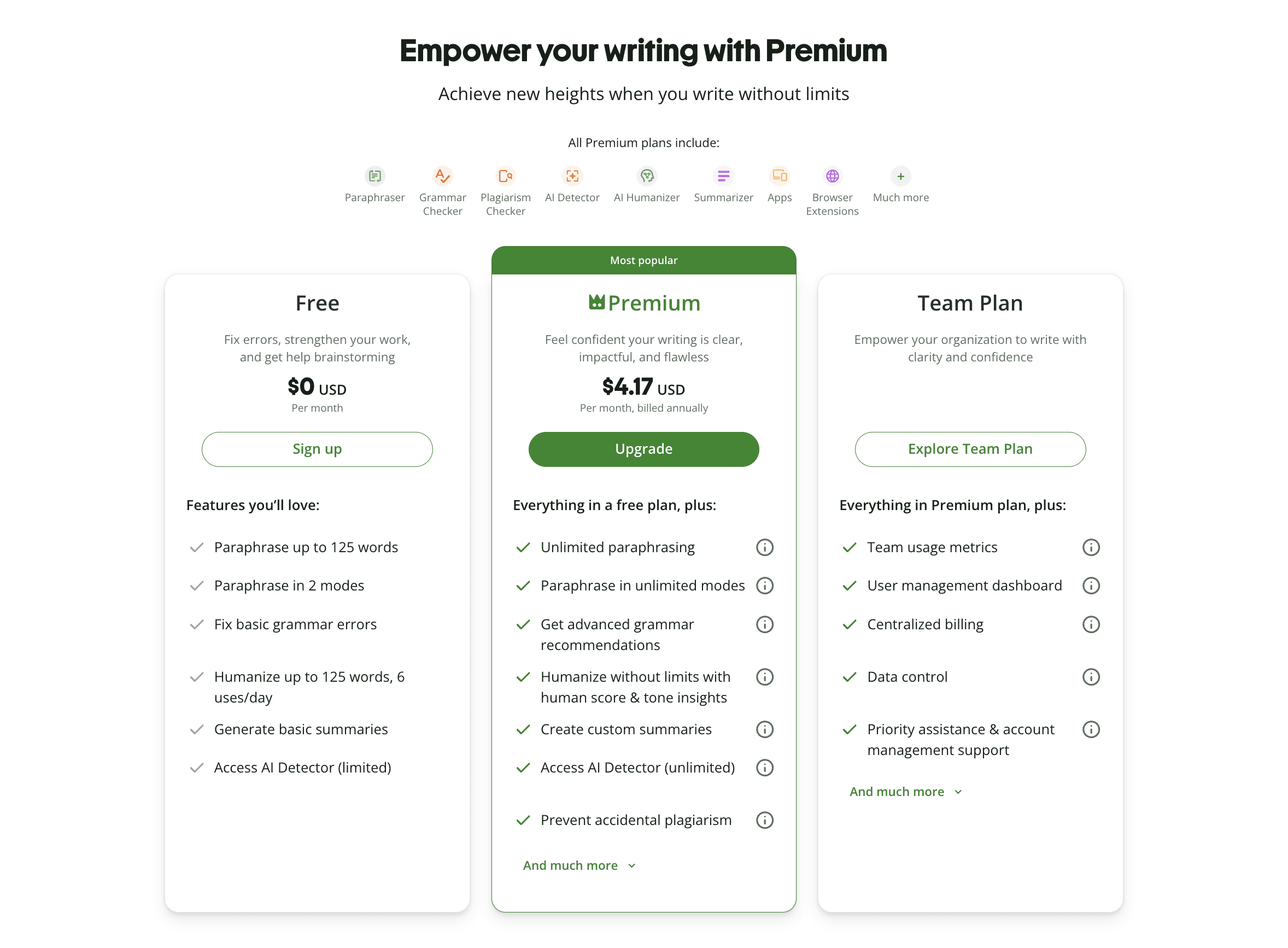
The suite-wide free tier caps the paraphraser near 125 words per pass with only two modes; the humanizer inherits those limits on free accounts. Premium unlocks the full tab set, but QuillBot does not offer a separate Premium trial — you subscribe or you work in paragraph-sized chunks on free. Compare that to WriteHybrid's recurring 500-word monthly free tier (no card) if your evaluation window needs to span a full draft, not a single paragraph.
Free tier and trial
QuillBot's free tier is genuinely useful for sampling the paraphraser's fluency on a sentence or two. It is not a serious evaluation path for the humanizer on coursework: one 125-word pass tells you almost nothing about how the tool treats citations, technical terms, or a multi-paragraph argument. Students who arrive hoping to "try QuillBot on my essay" often discover the free cap mid-assignment and face a paywall before they've learned whether the humanizer tab fits their institution's checker.
If detection is your constraint, the trial size is the first filter: you need enough words to run your own draft through your checker after humanizing. QuillBot's cap pushes that decision to checkout; WriteHybrid's monthly refresh lets you keep testing representative passages without committing.
API, extensions, and integrations
QuillBot's surface coverage is a genuine strength for daily writing work: a Chrome extension, Microsoft Word add-in, and macOS app put paraphrasing and grammar where people already draft. If you live in Google Docs via the extension or write in Word, that integration density is hard to beat in this category.
There is no public API for the humanizer (or the paraphraser), and no Zapier hook — you cannot batch-humanize through a content pipeline or wire humanizing into an LMS workflow programmatically. WriteHybrid includes API access on its $19/month Pro plan if automation matters. For solo paste-and-copy users QuillBot's integrations win; for ops teams building against an endpoint, they don't.
Editor UX
The editor is mature in the way a product used by millions gets mature: paste, pick a mode, click synonyms in the diff view, jump to Summarizer or Citation Generator without losing your session. The humanizer tab sits beside those tools rather than owning the whole experience, which is perfect if you're already a suite subscriber and confusing if you landed searching "QuillBot humanizer" expecting a single-purpose product.
The synonym slider is the hidden UX decision point. Cranking it toward maximum change produces more visible edits — and more meaning drift on technical passages. Most experienced users learn to run a conservative pass first, then spot-fix, rather than maxing aggression and untangling vocabulary afterward.
Support and billing
QuillBot's billing story is separate from the humanizer's rewrite quality, but it shapes whether people feel burned. Premium auto-renews monthly or annually; the refund window is short (roughly three days per QuillBot's terms, with refunds only where law requires beyond that). Trustpilot's negative reviews cluster here: unexpected annual charges, difficulty cancelling before renewal, and support replies that arrive after the refund window closes. None of that makes the paraphraser bad; it does mean you should screenshot your checkout choice and read renewal terms before annual billing, especially if you're subscribing mainly to test the humanizer tab.
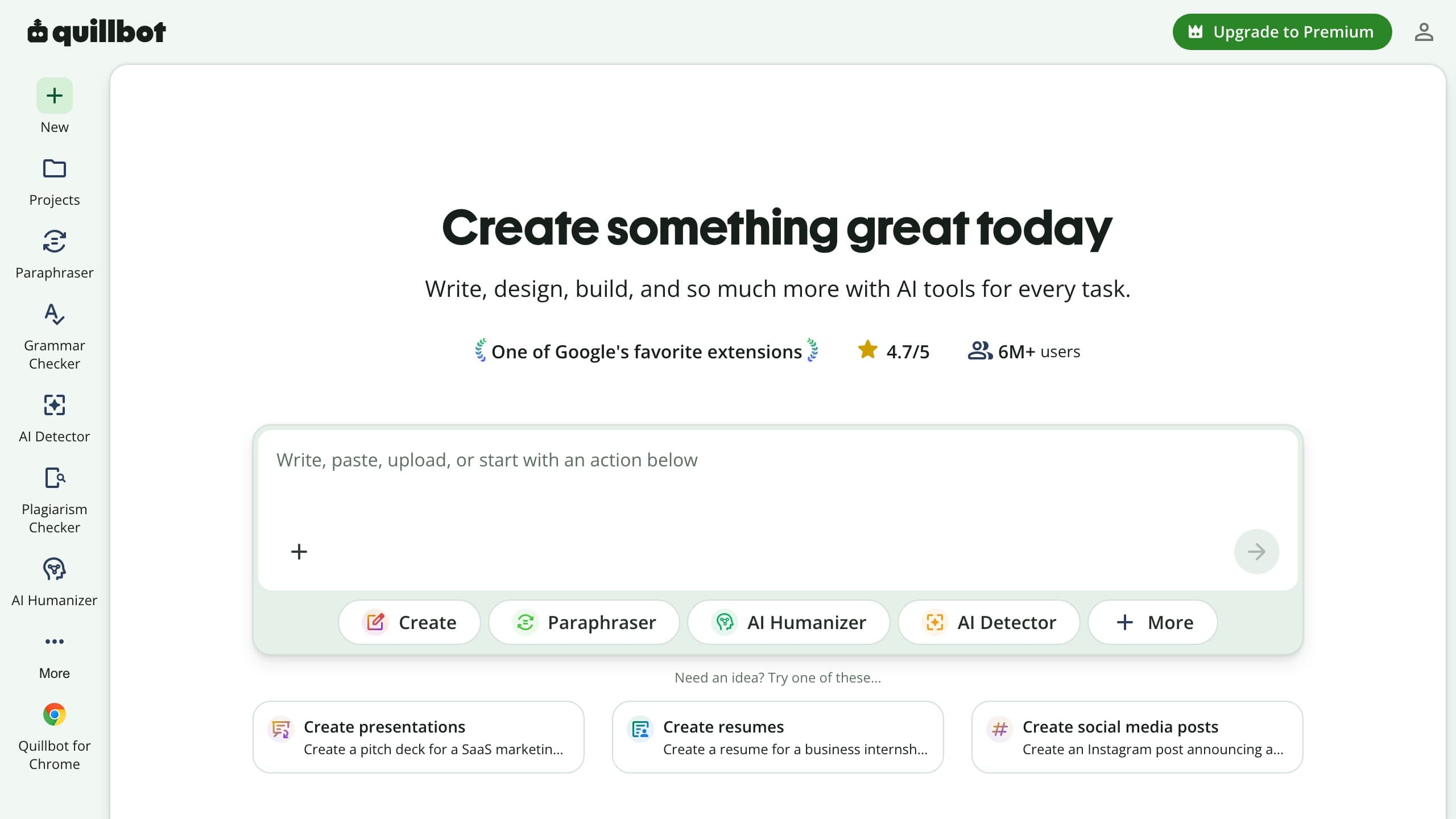
Hands-on: what the output actually looks like
QuillBot's Natural mode produces smooth, readable prose — the kind you'd expect from a paraphraser that's been polished for a decade. The sample below shows casual blog style, not a detection outcome:
The honest read on casual content: output reads well because QuillBot's core engine is an excellent paraphraser. "Clean" and "undetectable" are different goals. Polished prose can still carry the uniform rhythm and low burstiness classifiers key on.
Academic and technical passages are where the humanizer tab shows its limits. Synonym substitution can quietly drift meaning — reviewers and independent testers cite turns like "reducing oxidative stress" becoming "diminishing corrosive pressure," or hedged statistical claims flattening into conversational certainty. That's not a bug in the grammar engine; it's what happens when a readability tool rewrites vocabulary it doesn't weight as load-bearing.
If your draft depends on exact terminology — chemistry, law, clinical language — plan a manual pass to restore terms after any QuillBot run, regardless of mode.
Humanizer tab vs paraphraser tab: when to use which
This is the QuillBot-specific workflow question almost every review skips, and it's the difference between getting value from the suite and fighting it.
The paraphraser is QuillBot's core product: you paste text, pick Formal/Academic/Simple (on Premium), and get synonym-level rewrites with a diff view. It's what the 4.8-star Trustpilot reputation is actually about.
The humanizer tab is a readability pass marketed for AI-generated drafts. QuillBot's help documentation describes it as improving flow and conversational tone — not targeting detectors. In practice it feels like a smoothing layer on top of the same paraphrase engine, with fewer visible mode names and less granular control than the paraphraser tab next to it.
A workflow that works for many writers:
- Draft and self-edit first — fix structure before any tool pass.
- Run Academic or Formal paraphrase on stiff AI sections if you need register tightening.
- Open the humanizer tab only for final smoothing on passages that still read robotic.
- Lock or manually restore citations, defined terms, and statistics afterward.
Using only the humanizer tab on a full AI essay is the path of least resistance — and the path most likely to produce paraphrase-pattern output detectors (and Turnitin's paraphrase overlay) treat skeptically. Using the paraphraser deliberately, then humanizing lightly, usually preserves meaning better than maxing the humanizer alone.
What QuillBot's honest positioning means for you
Most humanizers in this category lead with "bypass GPTZero" headlines. QuillBot is the outlier: its own docs say the humanizer does not try to trick AI detectors. That honesty is rare and worth taking seriously.
It means three practical things:
- You shouldn't buy QuillBot Premium expecting detector evasion — the vendor isn't promising it, and independent testers report mixed results anyway.
- A high Trustpilot score is not a humanizer endorsement — it's suite love for the paraphraser people use daily.
- Turnitin's paraphrase overlay is a specific risk — Turnitin can label text as modified by a paraphrasing tool, which is a different failure mode from a generic AI percentage. Read Can Turnitin detect QuillBot? before relying on the humanizer tab for coursework.
QuillBot's framing has aged well as detectors tightened in late 2025. A tool that never promised to beat detectors can't be embarrassed when detectors change — but you also shouldn't hire it for a job it explicitly disclaims.
How to think about Premium billing before you subscribe
Because billing complaints dominate QuillBot's negative reviews, it deserves a concrete plan rather than a footnote. The pattern reviewers describe: subscribe expecting a monthly plan, discover an annual charge, request a refund inside what they thought was a fair window, and hear back after QuillBot's short policy window closed.
If you're subscribing mainly to test the humanizer tab:
- Screenshot the billing cycle at checkout (monthly vs annual toggle).
- Set a calendar reminder before renewal if you chose monthly.
- Keep early usage modest while you're still deciding — some disputes hinge on how much of the suite you consumed.
- Prefer monthly over annual until you've run your own drafts through your institution's checker and confirmed the humanizer tab fits your workflow.
None of this is unique to QuillBot, but the review volume suggests it bites harder here than tools with a 14-day refund. The paraphraser may still be worth Premium on its merits; just don't conflate suite value with humanizer fit until you've verified both on your own text.
Pricing (verified June 2026)
QuillBot prices Premium for the whole suite, not per humanized word. I checked live checkout in June 2026; annual toggles change headline numbers, so confirm before subscribing.
| Plan | QuillBot | WriteHybrid (comparison) |
|---|---|---|
| Free | ~125 words per paraphrase pass (suite-wide) | 500 words/month, recurring, no card |
| Entry paid | $19.95/mo Premium (full suite) | $9/mo, 10,000 words (Starter) |
| Pro / higher | Premium annual ≈ $8.33/mo effective (billed yearly) | $19/mo, 50,000 words + API (Pro) |
| Modes | Standard, Fluency, Natural (humanizer tab) | Academic, Marketing, Casual, Technical |
| Refund window | ~3 days (refunds only where law requires) | 14 days |
QuillBot doesn't sell humanized words à la carte — you're buying unlimited-ish suite access subject to fair-use limits on individual tabs. WriteHybrid sells word budgets on a dedicated humanizer. The math only favors QuillBot if you'll use paraphrasing, grammar, summarizer, and citations regularly; otherwise you're paying $19.95/mo for a secondary tab.
On per-word comparison for humanizing alone: WriteHybrid Starter is about $0.0009 per word ($9 ÷ 10,000). QuillBot doesn't publish a humanizer word cap on Premium — you're paying for the bundle. If humanizing is 10% of your workflow and paraphrasing is 90%, the bundle is rational. If humanizing is 100% of the job, $9 for 10,000 dedicated words is the more direct line item.
Read billing terms before annual checkout: auto-renewal surprises and rigid refunds are the suite's most repeated negative theme, separate from the headline Trustpilot rating.
What real users say about QuillBot
QuillBot's Trustpilot rating sits around 4.8 stars across 10,000+ reviews at the time of writing — an unusually high score for any SaaS writing tool. Be precise about what it measures: most praise is for the paraphraser and grammar tools used every day, not the humanizer tab reviewed here.
What satisfied users praise:
- Reliable daily paraphrasing and grammar for students, ESL writers, and professionals.
- Clean, fluent output and a polished interface that stays out of the way.
- Breadth — paraphrasing, summarizing, citations, plagiarism check, and grammar in one subscription.
- Extensions and Word integration that meet people where they already write.
Recurring complaints cluster elsewhere:
- Auto-renewal billing — customers charged annual amounts when they believed they had monthly plans, or surprised by renewal after a short trial period.
- Rigid refunds — a short money-back window and terms stating refunds only where required by law; multiple reviewers describe support replies arriving after the window closed.
- Slow support on billing disputes — template responses and long queues on chargeback questions.
For the humanizer tab specifically, independent testers and Reddit threads describe output that still trips GPTZero, Originality.ai, and institutional Turnitin checks — and Turnitin now flags paraphrasing-tool text with a visible overlay. That doesn't make QuillBot a bad suite; it means the humanizer inherits paraphrase risks the core product was never trying to hide. The fair summary: love the paraphraser, verify the humanizer on your own checker before graded work.
Turnitin, paraphrase detection, and the late-2025 shift
Turnitin shipped a detector update in late August 2025 that targeted humanizer and paraphrase patterns. Tools across the category saw less consistent results overnight. QuillBot's modest framing has aged well in that environment: a tool that never promised to beat detectors can't be embarrassed when detectors change.
For students, the practical risk is specific: Turnitin can highlight QuillBot-processed text as modified by a paraphrasing tool. That's a different failure mode from a generic AI score, and it's worth reading Can Turnitin detect QuillBot? before you rely on the humanizer tab for coursework.
Detection: what we can and can't tell you
This is the honest part. QuillBot doesn't claim its humanizer clears detectors, and neither should this review. Detection outcomes vary by the exact text, its length, and which detector (and version) runs the check. I won't publish pass-rate percentages I can't defend on your draft.
From hands-on use: Natural mode reads well on casual content. Dense academic passages with preserved terminology and citations are where paraphrase-style humanizers struggle most — both on scores and on meaning. GPTZero, Turnitin, Originality.ai, and Copyleaks disagree routinely; clearing one is not clearing all.
The QuillBot-specific wrinkle is Turnitin's paraphrase overlay: even when an AI percentage looks acceptable, Turnitin may still flag that text was processed by a paraphrasing tool. That's a visibility problem in LMS workflows, not just a numeric score. The only reliable check is yours: humanize your real draft and run the output through the checker that gates your work.
Who should use QuillBot Humanizer, and who should skip it
Consider it if you:
- already subscribe to QuillBot Premium and will use paraphrasing and grammar daily;
- want readable, fluent rewriting and accept the humanizer isn't aimed at detectors;
- write inside Word or Chrome and want suite tools where you already work.
Skip it if you:
- need a dedicated humanizer with register-specific modes and a recurring free tier to evaluate before paying;
- face Turnitin or Originality.ai on graded work and need to verify on your institution's checker;
- want an API or automation pipeline (QuillBot offers none for humanizing);
- are uneasy about auto-renewal and short refund windows.
Many writers keep QuillBot for paraphrasing and add a dedicated humanizer when detection is the actual concern. That's a sensible two-tool stack, not a failure of either product.
How to get the most natural output
If QuillBot is the tool you've landed on, these habits matter more than which of the three humanizer modes you pick:
- Draft and self-edit first. Fix obvious AI tells before you paste.
- Paraphrase, then humanize. Run Formal or Academic paraphrase first, then the Humanizer tab for smoothing — not the reverse on technical passages.
- Use the synonym slider sparingly. Maximum aggression trades meaning for change.
- Lock key terms. Protect technical vocabulary, statistics, and cited phrasing; restore them manually after the pass.
- Chunk long inputs at section breaks. With a ~6,000-character cap, split where the argument turns and reconcile tone across seams.
- Verify on your own detector. GPTZero, Turnitin, Originality.ai, and Copyleaks disagree; your audience's checker is the only one that counts.
- Edit by hand after the tool. Specificity and varied rhythm beat any single setting.
Bottom line
QuillBot is one of the best paraphrasing and grammar suites you can buy — the Trustpilot reputation reflects real daily value on the core tabs. The AI Humanizer is a secondary readability feature inside that suite, and QuillBot says so plainly: it improves flow, not detector scores. Keep Premium if you already live in the paraphraser and grammar tools; reach for a dedicated humanizer with register modes when detection and formal voice are the actual job. Many writers run both — QuillBot for rewriting, WriteHybrid (or similar) when an AI draft needs humanizing for a specific checker — and that's a sensible stack, not a failure of either product.
Frequently asked questions
Related reading
Try WriteHybrid on your text
Paste AI-generated copy below. 500 humanized words free every month after signup.
Was this page helpful?
Your feedback helps us improve our testing write-ups.