WriteHybrid vs QuillBot (2026): Paraphrasing Suite vs Dedicated Humanizer
Side-by-side comparison


Disclosure. I'm Huzefa Abbasi, founder of WriteHybrid, so I have an obvious stake in this comparison. QuillBot is a tool I've used hands-on for years, and everything below is based on that, on its public pricing as of June 2026, and on publicly visible user reviews, not a lab benchmark. Detection outcomes depend on your exact text and the specific detector your institution runs, so treat any "bypass" marketing (mine included) as a claim to verify yourself.
What you're actually choosing between
The single most useful thing to understand before you compare these two on price is that they answer different questions. QuillBot is a broad writing suite, it became popular as a paraphraser and grew to include a grammar checker, summarizer, citation generator, translator, plagiarism checker, and an AI detector. The AI Humanizer is one tab inside that suite. WriteHybrid is a dedicated humanizer and nothing else.
That distinction is not pedantic; it changes the buying decision. QuillBot's paraphraser is genuinely excellent and trusted by millions of students and writers, and plenty of people keep a QuillBot subscription purely for rewriting and grammar work. If you would use those tools daily anyway, the humanizer riding along is a nice extra. But if humanizing AI drafts is the specific job you're hiring for, you should know exactly what QuillBot's humanizer is, and isn't, before you assume the suite covers it.
Who QuillBot is for: students and writers who want one tab for paraphrasing, grammar, and citations, and who treat "humanizing" as polishing rather than detector evasion. Who WriteHybrid is for: people whose primary need is humanizing AI-assisted drafts with control over register (academic versus marketing), and who may want to automate that through an API.
QuillBot is a polished all-round writing suite whose humanizer is a readability tool, not a detector-bypass tool; WriteHybrid is a focused humanizer with register modes. Many writers use both.
Best for: Writers deciding whether a broad paraphrasing suite (QuillBot) covers their humanizing needs, or whether a dedicated tool (WriteHybrid) fits the job better, and who will verify detection on their own checker.
Pros
- +QuillBot: polished, widely trusted paraphrasing and grammar suite
- +QuillBot: browser extensions, Word add-in, and clean fluent output
- +WriteHybrid: built specifically for humanizing, with four named modes
- +WriteHybrid: recurring 500-word monthly free tier and API on Pro
Cons
- −QuillBot: humanizer is a secondary tab that does not target detectors
- −QuillBot: tight free paraphraser cap and full features behind Premium
- −QuillBot: rigid refund policy and a short 3-day money-back window
- −WriteHybrid: no built-in paraphraser, summarizer, or grammar suite
Key features that actually matter
Headline pricing tells you almost nothing until you map it to the features you'll actually touch. Here's the breakdown that drives the decision, tool by tool, with the verifiable specifics.
Writing modes and tone control
QuillBot's identity is its paraphraser modes. Free accounts get Standard and Fluency; Premium unlocks Formal, Academic, Simple, Creative, Expand, and Shorten, plus a custom synonym slider that controls how aggressively it swaps words. The Humanizer tab is separate and exposes its own Standard, Fluency, and Natural settings tuned for readable, conversational rewrites. The catch is that none of these are register controls in the WriteHybrid sense, they shift wording and smoothness, not the academic-versus-marketing voice.
WriteHybrid takes the opposite approach: four named modes, Academic, Marketing, Casual, and Technical, that you choose up front so the rewrite targets the register you need. If you bounce between a graded essay and a landing page in the same week, picking the register before you run is faster than nudging tone afterward with synonym sliders.
Input and word limits
QuillBot's humanizer accepts roughly 6,000 characters per pass (around 900–1,000 words), so a long essay needs chunking. The free paraphraser is capped tightly, about 125 words per pass, which is the limit most free users bump into first. Premium lifts the paraphraser cap substantially and removes the daily friction. WriteHybrid meters by words on a monthly allowance rather than per-pass character caps, so the constraint you feel is your plan's monthly word budget (500 free, 10,000 on Starter, 50,000 on Pro) rather than how much you can paste at once.
Free tier and trial
This is a real difference. QuillBot's free tier is suite-wide but deliberately tight: the paraphraser caps near 125 words per pass with only two modes, and there's no separate free trial for Premium, the free tier is the trial. WriteHybrid runs a recurring free tier instead: 500 words every month, no card required, which resets so you can keep testing on fresh drafts. Over a year that's roughly 6,000 words of real evaluation versus QuillBot's "upgrade to see the rest."
API, extensions, and integrations
QuillBot is strong on surface coverage for its core tools: a Chrome extension, a Microsoft Word add-in, and a macOS app bring paraphrasing and grammar into the apps you already write in. What it does not offer is a public API or Zapier hook for the humanizer, so you can't automate humanizing through a pipeline. WriteHybrid inverts that: no browser extension, but API access on the $19/month Pro plan, which is the deciding factor if you're scripting a content workflow.
Editor UX
QuillBot's editor is mature and uncluttered, paste text, pick a mode, and inline controls let you lock words, compare synonyms, and flip between tools without leaving the page. It feels like a product that's been refined over many releases. WriteHybrid's editor is narrower by design: a humanizing surface with mode selection and not much else, which means fewer decisions but also fewer side tools.
Support and billing experience
This is where QuillBot's otherwise glowing reputation gets complicated, and it's covered in detail in the user-sentiment section below. The short version: billing runs on auto-renewal, the money-back window is short (around three days), and QuillBot's terms state refunds are issued only where the law requires. WriteHybrid offers a 14-day refund window. Neither difference matters until you want your money back, at which point it matters a lot.
The editors, side by side
Both tools will turn a stiff AI draft into something that reads more naturally. The differences show up in what kind of "natural" you get and how much control you have over it.
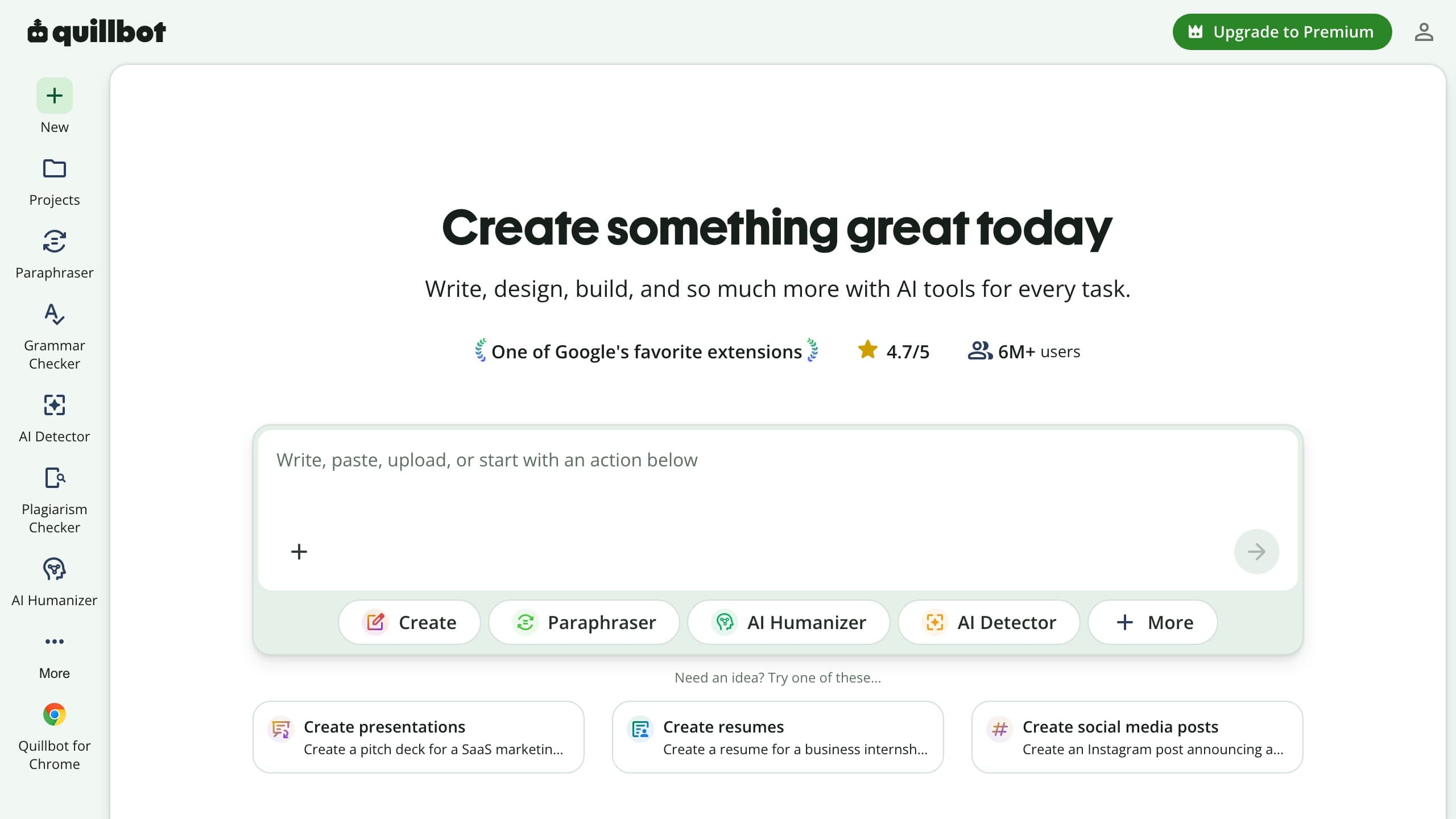
An illustrative rewrite
QuillBot's natural mode produces smooth, readable prose. This shows the style, not a detection outcome:
Output quality
QuillBot's output is its strongest suit: fluent, grammatically clean, and rarely awkward, which is what you'd expect from a tool whose core engine is a paraphraser refined over years. The flip side is that "clean" and "undetectable" are different goals, polished prose can still carry the uniform rhythm and low burstiness classifiers key on. WriteHybrid's humanized output reads naturally too, but its mode-specific rewrites are tuned to vary sentence structure for the chosen register rather than to maximize smoothness alone.
Customization
QuillBot wins on micro-control: synonym sliders, word locking, and mode stacking (paraphrase, then humanize) give you a lot of dials. WriteHybrid wins on macro-control: you set the register once and the rewrite commits to it. Which you prefer depends on whether you like tuning sentence by sentence or choosing a target and trusting the pass.
Ease of use
Both are genuinely easy. QuillBot's interface is busier because it's doing more, multiple tools, tabs, and inline panels, which is powerful but can feel like a lot if all you want is to humanize a paragraph. WriteHybrid's single-purpose surface gets you from paste to result with fewer decisions. For a first-timer who only wants a humanized draft, WriteHybrid is faster to grasp; for a power user who lives in the suite, QuillBot's density is a feature.
Support and billing
In day-to-day use both are fine. The divergence is at the edges: QuillBot's auto-renewal and rigid refund stance generate the bulk of its negative reviews, while WriteHybrid's 14-day window and recurring free tier are designed to let you decide before money is on the line. If you're risk-averse about subscriptions, that gap is worth weighing as heavily as any feature.
Pricing (verified June 2026)
QuillBot prices Premium for the whole suite rather than per humanized word, so a clean per-word comparison isn't really possible, you're buying paraphrasing, grammar, summarizing, citations, and the humanizer together. I checked both tools against their live checkouts in June 2026; annual toggles change the headline numbers, so confirm before subscribing.
| Plan | WriteHybrid | QuillBot |
|---|---|---|
| Free | 500 words/month, recurring, no card | ~125 words per paraphrase pass (suite-wide free tier) |
| Entry paid | $9/mo, 10,000 words (Starter) | $19.95/mo Premium (full suite) |
| Higher tier | $19/mo, 50,000 words (Pro, + API) | $19.95/mo Premium (full suite) |
| Modes | Academic, Marketing, Casual, Technical | Standard, Fluency, Natural (humanizer) |
| Refund window | 14 days | 3 days (refunds only where law requires) |
On the math: WriteHybrid Starter works out to about $0.0009 per word ($9 ÷ 10,000), and Pro lands near $0.00038 per word ($19 ÷ 50,000). QuillBot doesn't meter humanized words, so there's no equivalent per-word figure, its $19.95/month buys the entire suite, and the humanizer is one feature of many. The honest read is that if you only want a humanizer, WriteHybrid's $9 entry and recurring 500-word monthly free tier (roughly 6,000 words a year you can actually test with) are the cheaper, more direct path. If you'd use QuillBot's paraphraser and grammar checker daily regardless, its Premium is reasonable value because humanizing isn't really what you're paying for.
One thing to read carefully before paying QuillBot: its money-back window is short (around three days), and its terms state refunds are issued only where the law requires (EEA and UK buyers get a 14-day right of withdrawal). Combined with auto-renewal, that's the source of most of the billing frustration below, so decide during the free tier, not after a renewal lands.
How to use QuillBot for the best results
If QuillBot is the tool you've landed on, for its paraphraser, grammar, and the humanizer as a bonus, here's a workflow that gets the most out of it without leaning on it for something it doesn't claim to do:
- Draft and self-edit first. Fix obvious AI tells yourself, repetitive openers, list-heavy structure, generic transitions, before you paste. The cleaner your input, the better any rewrite reads.
- Paraphrase, then humanize. Run the text through the paraphraser in a mode that fits your voice (Formal or Academic for coursework, Standard for general writing), then send the result to the Humanizer tab for a final smoothing pass.
- Use the synonym slider sparingly. Pushing it to maximum produces more changes but more awkward word choices; a moderate setting keeps meaning intact.
- Lock key terms. Use word locking to protect technical vocabulary, names, and cited phrasing so the rewrite doesn't mangle them.
- Verify on your own detector. QuillBot doesn't promise detector results, so paste the final draft into the checker your audience uses, GPTZero, Turnitin, Originality.ai, or Copyleaks, and read the output, not a vendor claim.
- Touch it up by hand. A few human edits, a specific example, a personal aside, a varied sentence length, do more for naturalness than any single tool setting.
What real users say about QuillBot
I read through QuillBot's public Trustpilot profile and complaint threads to sanity-check my own impressions against a larger sample. At the time of writing, QuillBot holds a very strong Trustpilot rating of around 4.8 stars across 10,000+ reviews (the exact count varies by regional Trustpilot domain). That's an unusually high score, but it's worth being precise about what it measures: the overwhelming majority of those reviews are from people praising the paraphraser and grammar tools they use every day, not the humanizer tab specifically.
What satisfied users consistently praise:
- The paraphraser and grammar checker as reliable daily drivers for students and writers.
- Clean, fluent output and a genuinely polished, easy-to-learn interface.
- Breadth, having paraphrasing, summarizing, citation, and grammar tools in one place.
The recurring complaints cluster somewhere very different from the headline rating, because they show up across multiple independent sources, including a Better Business Bureau profile with dozens of billing complaints and a far harsher rating on complaint-focused sites:
- Auto-renewal billing: the most repeated theme is customers who believed they had a monthly plan being charged a much larger annual amount, sometimes with little advance notice.
- Rigid refunds: QuillBot's terms state refunds are issued only where required by law, and the money-back window is short, multiple reviewers describe being told no.
- Slow support: some users report waiting days to weeks for replies, especially around billing disputes.
None of this makes QuillBot a bad product, the high rating is earned by the core suite, and most people use it happily. But the gap between "great paraphraser" and "what happens if I want a refund after a surprise renewal" is exactly the kind of thing worth knowing before you commit a year of billing.
The detector landscape shifted in late 2025, and QuillBot's positioning fits it
This category is not static. Turnitin shipped a detector update in late August 2025 that specifically targeted humanizer output patterns, and tools across the board saw less consistent results overnight. GPTZero, Originality.ai, and Copyleaks all iterate on their own schedules too.
Interestingly, that volatility is exactly why QuillBot's modest framing has aged well: a tool that never promised to beat detectors can't be embarrassed when detectors change. The practical takeaway is the same regardless of which tool you choose, any "bypass" claim you read is a snapshot of one moment against one detector version, and by the time you paste your own essay the detector may have moved. That's the core reason WriteHybrid points you to test your real draft rather than trusting a published percentage, and why QuillBot tells you upfront its humanizer is about readability.
Detection: what we can and can't tell you
This is the honest part. QuillBot is a trusted brand, but brand trust isn't a detector result, and QuillBot itself doesn't claim its humanizer clears detectors. No tool can promise an outcome for your specific text; detection moves with the passage, its length, and which detector (and which version of it) runs the check. I won't publish pass-rate figures I can't stand behind on your draft.
From hands-on use, QuillBot's natural mode reads well, and the work most likely to trip any humanizer is dense academic or technical writing with preserved terminology and citations. The only reliable check is your own: humanize your real draft and run the output through the detector that gates your work, GPTZero, Turnitin, Originality.ai, or Copyleaks, before relying on it for anything graded.
When QuillBot is the better pick
- You want a full writing suite, paraphraser, grammar, summarizer, citations, and will use it daily.
- You already subscribe to QuillBot Premium, and switching costs more than it saves.
- Your real need is readable, fluent rewriting, and you accept that the humanizer isn't aimed at detectors.
- You write inside Word or Chrome and want grammar and paraphrasing where you already work.
When WriteHybrid is the better pick
- You want a tool built for humanizing, with register-specific Academic, Marketing, Casual, and Technical modes.
- You want a lower entry price ($9), a recurring free tier, and a longer 14-day refund window.
- You need API access for an automated pipeline, which QuillBot doesn't offer for humanizing.
- You'd rather decide before paying than risk a short refund window and auto-renewal.
Honestly, these aren't mutually exclusive. A lot of writers keep QuillBot for paraphrasing and grammar and reach for a dedicated humanizer when detection is the actual concern.
How to get the most natural output
Whichever tool you use, a humanizer is one ingredient, not the whole recipe. These evergreen habits do more for naturalness than any single setting:
- Mix modes and passes. Don't lean on one mode for everything. Combine a register-appropriate rewrite with a light smoothing pass, and compare versions rather than accepting the first output.
- Edit by hand after the tool. Add a concrete example, a specific number, or a short personal observation. Human specificity is the hardest thing for any classifier to reproduce.
- Vary your rhythm. Detectors react to uniformity. Break up runs of similar-length sentences and alternate simple and complex structures.
- Keep citations and quotes intact. Don't let a rewrite paraphrase a direct quotation or distort a citation, protect those spans, then humanize around them.
- Run it through more than one detector. GPTZero, Turnitin, Originality.ai, and Copyleaks disagree often. If your draft clears the specific checker your audience uses, that's the only result that counts.
- Read it aloud. If a sentence sounds like no person would say it, fix it regardless of what any tool or detector reports.
Frequently asked questions
Related reading
Try WriteHybrid on your text
Paste AI-generated copy below. 500 humanized words free every month after signup.
Was this page helpful?
Your feedback helps us improve our testing write-ups.