Humanizer Pro Review (2026): The $15 Single Plan, the Latinate Habit, and Who It's For

Independent review
Humanizer Pro
A GPT-store-flavoured humanizer with one plan, one mode, and an output habit of swapping plain verbs for formal ones, cheap and simple, but light on control.
Disclosure. I'm Huzefa Abbasi, and I run WriteHybrid, so Humanizer Pro is a direct competitor and I have a stake in how this lands. Everything below comes from using the product hands-on and from its public pricing as verified in June 2026, it is an editorial review, not a lab benchmark, and I publish no pass-rate percentages because I can't stand behind a number I didn't measure under controlled conditions. Whether any humanizer clears the checker your school or client runs depends on your exact words and that detector's current version, so test your own draft rather than trusting anyone's marketing, mine included.
What Humanizer Pro is, and who it's for
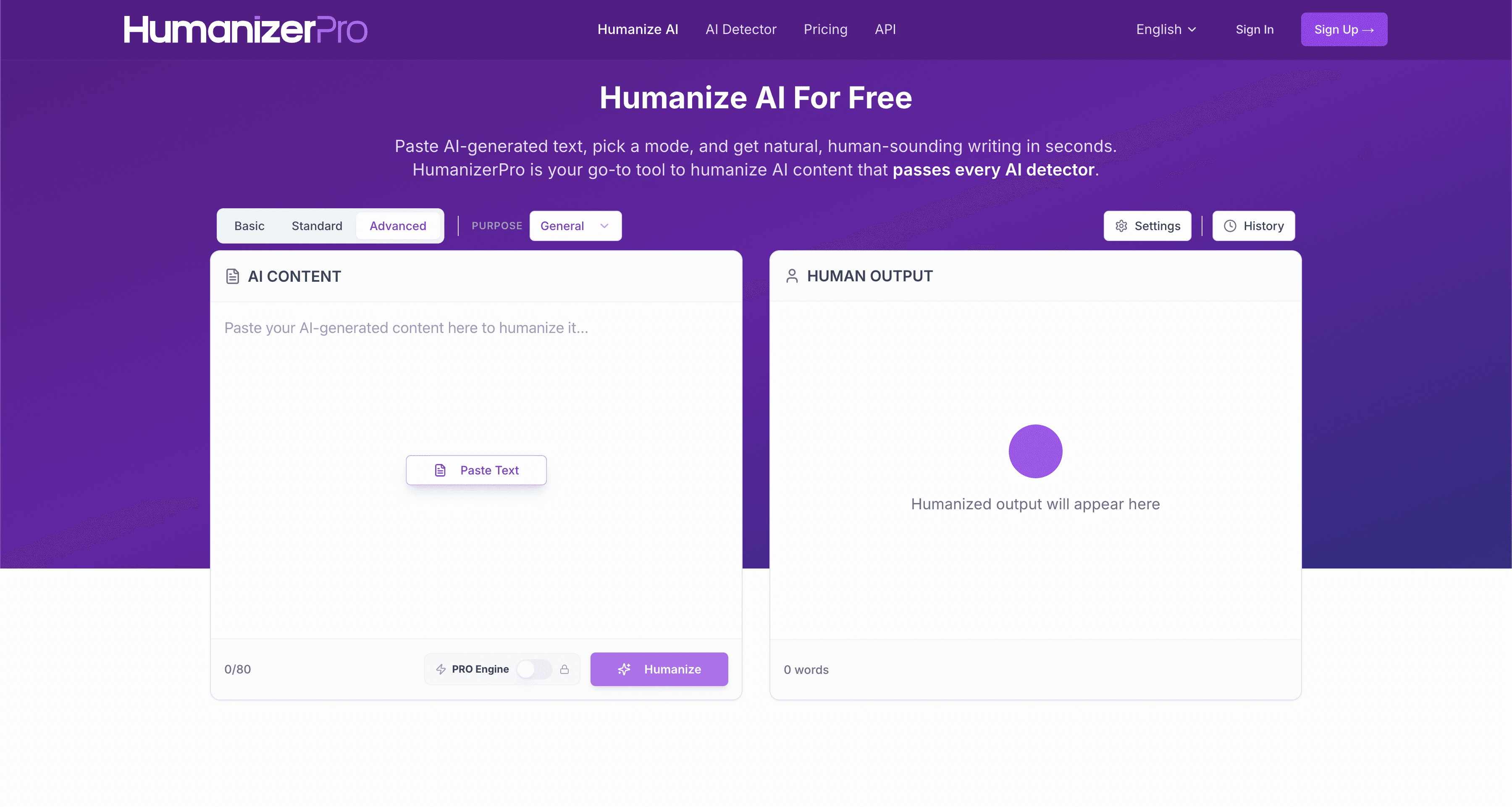
Humanizer Pro has the unmistakable feel of a GPT Store app that grew a checkout page and moved into its own domain. The word "Pro" does double duty, it's in the brand name and it labels the single rewrite mode, which sounds like there's a free tier and a premium one underneath, when in reality there is just one product: one plan, one mode, one screen. That simplicity is the pitch, and for some buyers it's the right pitch. There's no upsell ladder to climb and no decision tree to navigate; you paste, you click, you copy.
The audience this suits is narrow but real: a budget-minded student or casual writer who wants a cheap, no-thinking rewrite and is willing to do light cleanup afterwards. If you want register control, document workflows, an API, or any kind of team feature, you'll feel the ceiling almost immediately. And there's one output quirk you should understand before you pay, because it shapes everything: Humanizer Pro reaches for the more formal synonym by default. "Use" becomes "utilize," "help" becomes "facilitate," "show" becomes "demonstrate." The text comes out sounding like it's trying to impress an examiner, which is precisely the stilted register that reads as machine-assembled to a careful human reader.
Key features that actually matter
Marketing copy tells you a humanizer is "advanced" and "undetectable." It rarely tells you how the thing behaves when you've pasted a real essay into it at 1 a.m. Here's what actually decides whether Humanizer Pro is worth your $15.
The single mode and the Latinate habit
This is the feature that defines the tool, so it goes first. There is one rewrite strategy, applied uniformly to whatever you feed it, an academic abstract and a casual blog intro get the same treatment. That treatment leans formal. The engine consistently elevates everyday verbs into their Latinate cousins, so plain prose acquires an inflated, exam-ready register. On a piece that genuinely needs to sound academic, that can be tolerable. On anything meant to read conversationally, it pulls in the wrong direction, and you end up manually dialling the formality back down, which is the humanizing work you were trying to outsource. Because there's no tone slider or named register to choose, you can't ask it to relax; the formality is baked in.
Input and word limits
The editor accepts pasted input up to roughly 6,000 characters, which works out to about 920 words. That's one of the tighter caps in the category. A 2,500-word essay has to be broken into three chunks, run separately, and then reassembled, and because the tool formalises as it goes, the seams between chunks can drift in tone, so you proofread the joins. The monthly allowance is more generous than the per-paste cap suggests (20,000 words a month), but it's the per-paste ceiling you'll bump into first and most often on real documents.
Free trial and how far it gets you
There is a one-time 200-word trial and nothing recurring. Two hundred words is a single fat paragraph, enough to confirm the interface loads and the button works, nowhere near enough to judge how the tool handles your actual writing across an introduction, a body section, and a conclusion. If your buying process involves testing a tool properly on your own drafts before committing money, Humanizer Pro effectively asks you to pay first and evaluate later.
API, extensions, and integrations
There aren't any. No public API, no Chrome extension, no Google Docs or Word add-in, no Zapier hook. Humanizer Pro is a website you open in a tab, paste into, and copy out of. For a casual user that's fine. For anyone trying to wire humanizing into a content pipeline or a repeatable workflow, it's a hard stop, you're doing every step by hand, every time.
Editor experience
Credit where it's due: the interface is clean and quick. One text box, one button, fast turnaround, no clutter. There's effectively no learning curve, which is genuinely the tool's strongest quality. The flip side is that the simplicity comes from an absence of features rather than from thoughtful design, there's nothing to learn because there's nothing to adjust.
Support and billing
Billing is refreshingly uncomplicated: a single $15/month charge with no annual toggle to second-guess and no plan-comparison page to decode. The stated refund window is 7 days, shorter than the 14 days some competitors offer, so if you want to evaluate after subscribing you're on a tight clock. As with most tools in this space, read the refund terms at checkout before you commit, because policies in this category change quietly and aren't always as generous as the homepage implies.
Hands-on: what the output actually reads like
Across the drafts I ran through it, the pattern was consistent and easy to spot. Grammar is clean, you won't get the broken syntax some cheaper rewriters produce. What you get instead is elevation: the tool reaches past the natural word for the fancier one. "Researchers use statistical models" comes back as "investigators utilize statistical models." It's not wrong, exactly. It's just stiffer than a person would write, and uniform stiffness is itself a tell, both to a human marker who knows your usual voice and to detectors that associate dense, formal phrasing with machine rewriting.
The sample below shows the Latinate habit on an academic passage. It illustrates the register the tool tends to produce, it is a style observation, not a pass/fail detection claim:
A cheap, single-plan humanizer let down by a formalising output style and the complete absence of register control or integrations.
Best for: Budget-conscious students who want a low-cost rewrite, will edit the formal phrasing back to plain English by hand, and will verify detection on their own checker.
Pros
- +Low flat price, $15/month for a usable 20,000-word allowance
- +Single-screen, paste-and-go workflow with almost no learning curve
- +No upsell maze: one plan, one decision, one charge
- +Output is grammatically clean and fast to produce
Cons
- −Latinate substitution ('use' → 'utilize') makes output read stiff and machine-like
- −A single mode applies the same formal treatment to every register
- −~6,000-character cap forces splitting on most full-length drafts
- −No annual discount, no API, no integrations, and only a 200-word trial
Pricing (verified June 2026)
I checked Humanizer Pro against its live checkout in June 2026 and archived the page for reference. The single-plan model makes the math unusually clean, there's no annual toggle to change the headline number, but confirm the current figures at checkout before subscribing, because prices in this category move without notice.
| Plan | Price | Words / month | Modes | Free tier | Refund |
|---|---|---|---|---|---|
| Trial | Free | 200 words (one-time, lifetime) | Single mode | n/a | n/a |
| Pro | $15/month | 20,000 | Single mode | 200-word trial | 7 days |
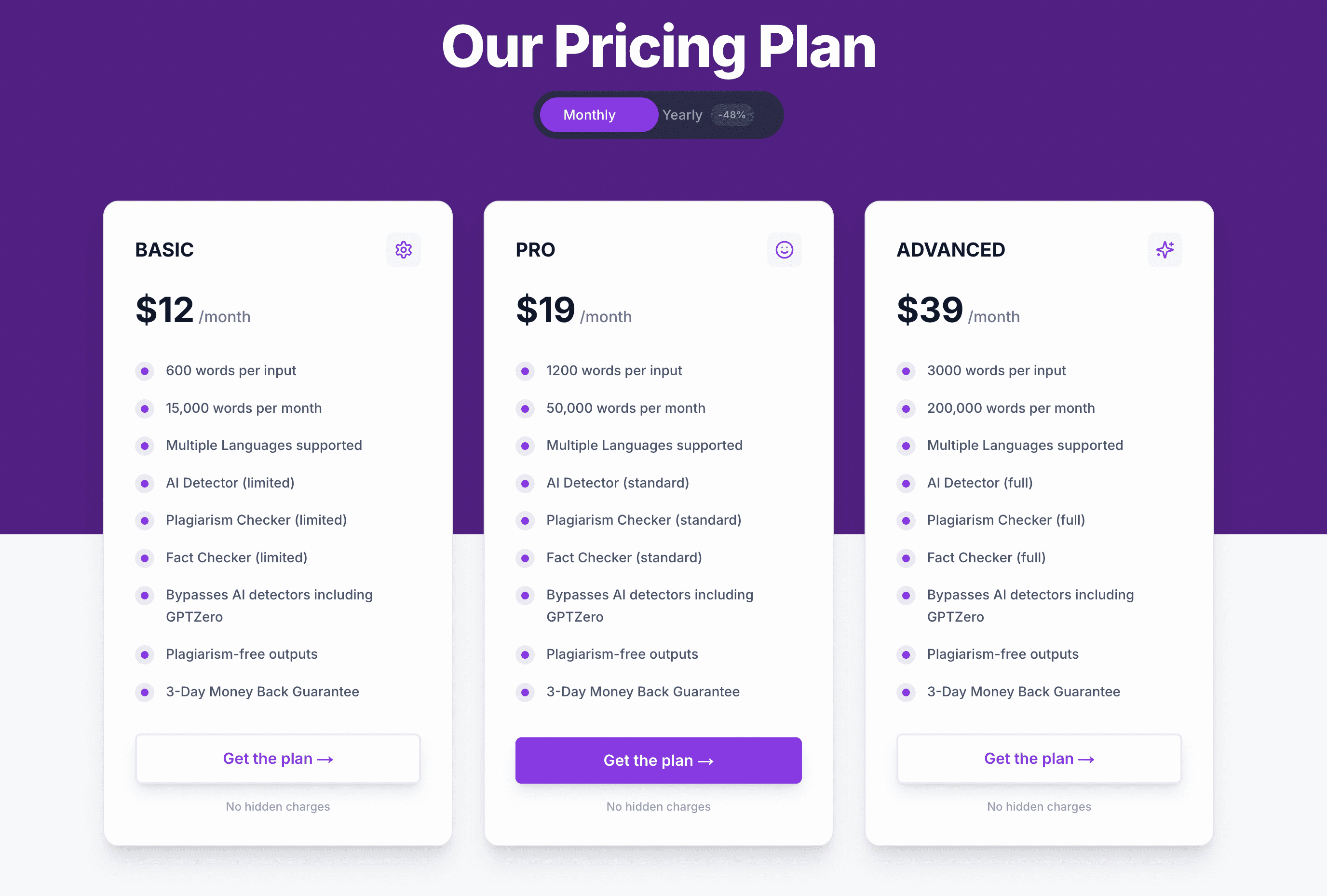
On the math: $15 ÷ 20,000 words is about $0.0008 per word, which is competitive on paper and the tool's strongest selling point. The catch is the shape of the offer, not the rate. Because there's only one plan, there's no cheaper entry point if you need just a few thousand words a month, and no higher tier if you suddenly need far more, you either fit the 20,000-word box or you don't. Compare that with a recurring free allowance you can keep using indefinitely (more on that in the WriteHybrid section below) and the 200-word one-time trial starts to look less like a free tier and more like a demo.
How to use Humanizer Pro for the best results
The workflow is short, but a few deliberate habits make a far bigger difference to the result than the tool itself does:
- Clean the draft before you humanize. Fix weak arguments, broken logic, and factual errors first. Humanizer Pro rewrites phrasing, not substance, it will happily formalise a wrong sentence into a more wrong-sounding one.
- Paste in chunks under the cap. Keep each paste under ~900 words so you don't get silently truncated, and run sections in the order they'll appear so the tone stays coherent across the joins.
- De-formalise on the way out. Because the engine elevates vocabulary, your main edit is usually subtraction: change "utilize" back to "use," "facilitate" back to "help," and break up any sentence that suddenly sounds like a grant application.
- Protect citations and technical terms. Lock down quoted material, names, dates, and domain vocabulary by hand, a formalising rewriter is exactly the kind that quietly swaps a precise term for a fancier, looser one.
- Verify on the detector that actually matters. Run the finished text through the specific checker your institution or client uses, Turnitin, GPTZero, Originality.ai, whichever it is, because that's the only result that counts on submission day.
Why this review doesn't assign a star rating
I'd normally summarise a tool's real Trustpilot and Reddit reputation here. For Humanizer Pro I'm deliberately not putting a number on it, because the public footprint is both thin and inconsistent: review profiles are spread across similarly named domains with small samples that disagree sharply, some sitting in the low-3-star range across a few dozen reviews, others showing a handful of glowing entries that read as solicited. Pulling a confident rating out of that would be inventing a signal, not reporting one. The honest version is simpler: Humanizer Pro's visibility seems to come from word-of-mouth in study communities rather than a deep, verifiable review history, so judge it on the trial and on your own output rather than on a star count.
The detector landscape shifted in late 2025, and it still matters
This category does not sit still. Turnitin shipped a detector update in late August 2025 aimed specifically at humanizer-style output, and tools across the board produced less consistent results overnight as a result. GPTZero, Originality.ai, and Copyleaks all iterate on their own timelines too. The practical consequence for a tool like Humanizer Pro, whose whole technique is formalising substitution, is that any "it passes" anecdote you read is a snapshot of one moment against one detector version. By the time you paste your own essay, the checker may have moved, which is exactly why I point you at your own draft and your own detector instead of any headline claim.
Detection: what we can and can't tell you
Let me be straight about the limits of what this review can claim. Humanizer Pro, like most of its peers, markets itself on slipping past named detectors. But detection outcomes swing enormously with the exact text, its length, the subject matter, and which detector, and which version of it, runs the check. I can't promise a result for your specific draft, and I won't publish a pass-rate percentage I can't defend.
What I can tell you from hands-on use is where the risk concentrates. The formalising, Latinate output is the thing to watch: heavily elevated phrasing can read as machine-generated to both a human grader and a pattern-sensitive detector, so the rewrite that "sounds smarter" is not necessarily the one that reads most natural. If your work is going through an institutional checker, the only number that means anything is the one you generate yourself, humanize your real draft, run it through the detector your audience uses, and read the output aloud to catch the stiff sentences before anyone else does.
Who should use Humanizer Pro
- Budget students who want a cheap, flat-rate rewrite and don't mind editing the formal phrasing back toward plain language.
- Writers who genuinely value a no-upsell, single-plan model and would rather have one decision than a feature menu.
- People producing short, casual pieces who can comfortably live within the ~6,000-character cap and the single mode.
Who should skip it
- Anyone writing formal academic work who can't afford a stiff, Latinate register layered on top of already-formal prose.
- Writers who need register control, an API, or any integration, none exist here.
- Buyers who insist on evaluating before paying; a 200-word lifetime trial barely covers an opening paragraph.
How to get the most natural output
These habits hold up whichever humanizer you land on, and they matter more than the brand on the tab:
- Treat the rewrite as a first draft, not a final answer. A short manual edit, varying sentence length, cutting a repeated connector, swapping one inflated word back to its plain form, does more for naturalness than re-running the tool five times.
- Break up uniform formality. A consistently elevated tone is its own giveaway; let some sentences run long and others stay blunt and short.
- Keep your real voice in the intro and conclusion. Those are the sections a reader or grader scrutinises hardest, so they're the worst place for borrowed phrasing.
- Run the output through more than one detector. GPTZero, Turnitin, and Originality.ai disagree constantly; clearing one is not clearing all of them.
- Never submit unread. The fastest route to a flag is pasting machine output with a quietly mangled citation or a term the rewriter "upgraded" into something less precise.
Frequently asked questions
Related reading
Tools worth comparing
Try WriteHybrid on your text
Paste AI-generated copy below. 500 humanized words free every month after signup.
Was this page helpful?
Your feedback helps us improve our testing write-ups.