Walter Writes AI Review (2026): The Casual Voice, Pricing, and Who It's For

Independent review
Walter Writes
A well-marketed, likeable humanizer that's genuinely good at blog and marketing copy, with a single casual voice that's a poorer fit for formal academic work, and a polarized review profile worth reading.
Disclosure. I'm Huzefa Abbasi, founder of WriteHybrid, so treat this as a review written by a competitor, I've tried to be scrupulously fair precisely because of that. Everything here comes from hands-on use of Walter Writes, from its public pricing as I verified it in June 2026, and from publicly visible customer reviews, not a controlled lab benchmark. Whether any tool clears a detector depends on your exact text and the specific checker your institution runs, so verify any "undetectable" promise, including ones I make for my own product, on your own draft.
What Walter Writes is, and who it's for
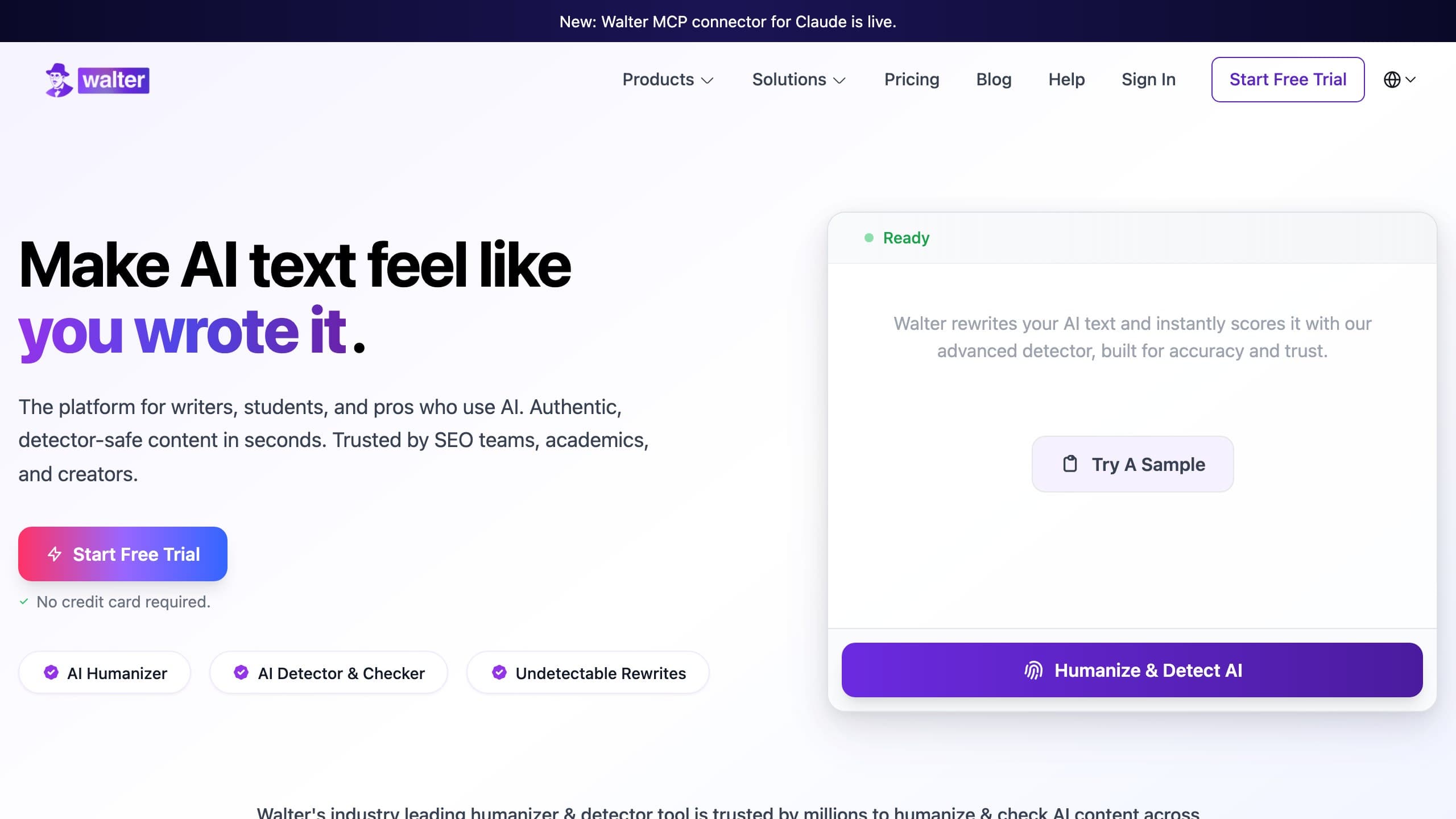
Walter Writes is the rare humanizer with a personality. A cartoon mascot, Walter himself, runs through the branding, and the copy frames the job warmly: turn your AI draft into something "that sounds like you" rather than something that won't "get caught." In a category that mostly trades on anxiety, that friendliness is genuinely disarming, and it's a big part of why the tool spread the way it did, largely through short-form video rather than long Reddit debates. It's frequently recommended to non-native English writers, and that recommendation is fair: the casual rewrite really does help an ESL draft read more like a fluent first-language speaker wrote it.
The product is built around two things: an AI Humanizer that rewrites your text, and a companion AI Detector that scans it. The audience it serves best is a creator or marketer producing blog posts, newsletters, social captions, and web copy, work where a relaxed, conversational register is an asset rather than a liability. For that use case Walter is one of the more pleasant tools to actually sit and work in.
Where it's a weaker fit is the audience that often arrives expecting the most: students with formal coursework checked by institutional detectors. Walter can absolutely help there, but it asks more of you, a manual formality pass on every draft, and the trial is too small to confirm the fit before you pay. Knowing which of those two camps you're in tells you most of what you need to decide about this tool.
The thing to understand before you commit is the single mode and its character: it casualizes. "Therefore" becomes "So," "demonstrated" becomes "showed," a hedged statistical claim becomes a breezy paraphrase. For informal writing that's exactly right. For a graded essay it's a problem even when the detector is happy, because a professor reading a formal submission will notice the register has slipped. Walter doesn't give you an academic mode to switch into, so that formality is something you'd add back by hand.
Key features that actually matter
Headline marketing rarely captures how a humanizer behaves over a week of real work. Here's what shapes the day-to-day experience with Walter.
The single casual voice
There's one default mode, and its strength and weakness are the same trait. On casual content, the rewrite is among the most natural I've seen in the category, it doesn't just swap synonyms, it genuinely loosens rhythm and cadence the way a relaxed human writer would. That's the part Walter does well and deserves credit for. The flip side is that there's no register dial: you can't tell it "keep this formal," so academic and technical passages come out softened whether you want that or not. If your writing lives at the casual end, this is a feature; if it doesn't, it's the central limitation.
Input and word limits
The editor accepts pasted input up to roughly 8,000 characters, about 1,230 words, so most blog posts and short essays fit in a single pass, while a long dissertation chapter needs splitting. That's a typical ceiling for the category rather than a standout, and it's smaller than the 15,000-character-class tools. For Walter's core audience of blog-length content, it rarely bites.
Free tier and trial
Walter offers a 250-word, one-time trial. That's enough to see the interface and get a feel for the casual voice on a single paragraph, but it's too small to properly test the register on your own writing before paying, which matters more here than usual, because register fit is the entire question with this tool. You really want to run a few representative drafts through it, and 250 words doesn't get you there.
The built-in detector
The companion detector is a nice convenience for a quick in-app sanity check, and bundling humanize-and-scan in one place is part of Walter's appeal. As with any vendor's own detector, though, it's scoring against its own model rather than the third-party checker your school or client uses, so treat a clean reading as encouragement to verify elsewhere rather than as a final verdict.
Integrations and workflow
Walter is a website-first tool. There's no public API, and the deeper integrations some power users want, Google Docs, for instance, are a recurring feature request in its reviews rather than a shipped capability. For a solo creator pasting drafts into the editor, that's fine; for anyone trying to wire humanizing into an automated pipeline, it's a hard limit.
Support and billing experience
This is the area that splits Walter's reviews, and I'll cover it honestly in the sentiment section below. The structural pattern is the familiar one: auto-renewal, annual plans billed upfront, monthly credits that expire without rollover, and a refund policy that reviewers describe as restrictive. The company does engage, it replies to the large majority of negative Trustpilot reviews, but the underlying terms are where the friction starts. Read them before you subscribe.
The editor in practice, and an illustrative rewrite
Working in Walter is pleasant. The mascot-forward interface is cheerful without getting too far in the way, and the paste-pick-run loop is fast. On a blog draft, the output is the kind of thing you could lightly edit and publish, natural cadence, varied sentence length, the conversational connective tissue that machine text usually lacks. That's the genuine high point, and it's why creators like it.
The defining behaviour shows up the moment you feed it something formal. Across the academic passages I ran through it, Walter consistently relaxed the register: formal connectives softened, precise terminology loosened, careful hedges turned casual. The result reads friendly and approachable, which is the point for its target user, but it's a liability for graded work. A marker can find the relaxed tone inappropriate for a formal essay even when an AI checker is satisfied, and there's no academic mode to prevent it, so you're left editing the formality back in manually.
There's a second behaviour worth flagging because it surprised me: length drift. On longer inputs the rewrite sometimes came back meaningfully longer than the original, padding a tight paragraph with extra connective phrasing. For a blog post that's harmless, but if you're working to a word count, a 500-word assignment, a capped abstract, you'll be trimming afterward. It's the same paraphraser tendency that shows up in Walter's reviews as "adds words," and it's easy to miss if you copy the output without comparing it side by side with what you pasted in.
Where Walter genuinely excels, and where I want to be fair to it, is the middle ground between robotic and overwrought. A lot of humanizers either barely change the text or swing so hard toward "casual" that the result reads like a teenager's text message. Walter's default lands closer to a competent human blogger: contractions where a person would use them, varied sentence openings, the occasional aside. For its target content that calibration is genuinely good, and it's the reason the tool earned its following rather than just its marketing.
The sample below shows what the default mode does to a formal academic passage. It illustrates the casualization tendency, style, not detection, and shouldn't be read as a pass/fail claim:
Pricing (verified June 2026)
I checked Walter Writes against its live checkout in June 2026. As with most tools in this space, the annual and monthly toggles surface different headline numbers, and credits are allocated monthly without rollover, so confirm both the cycle and the credit terms before you pay.
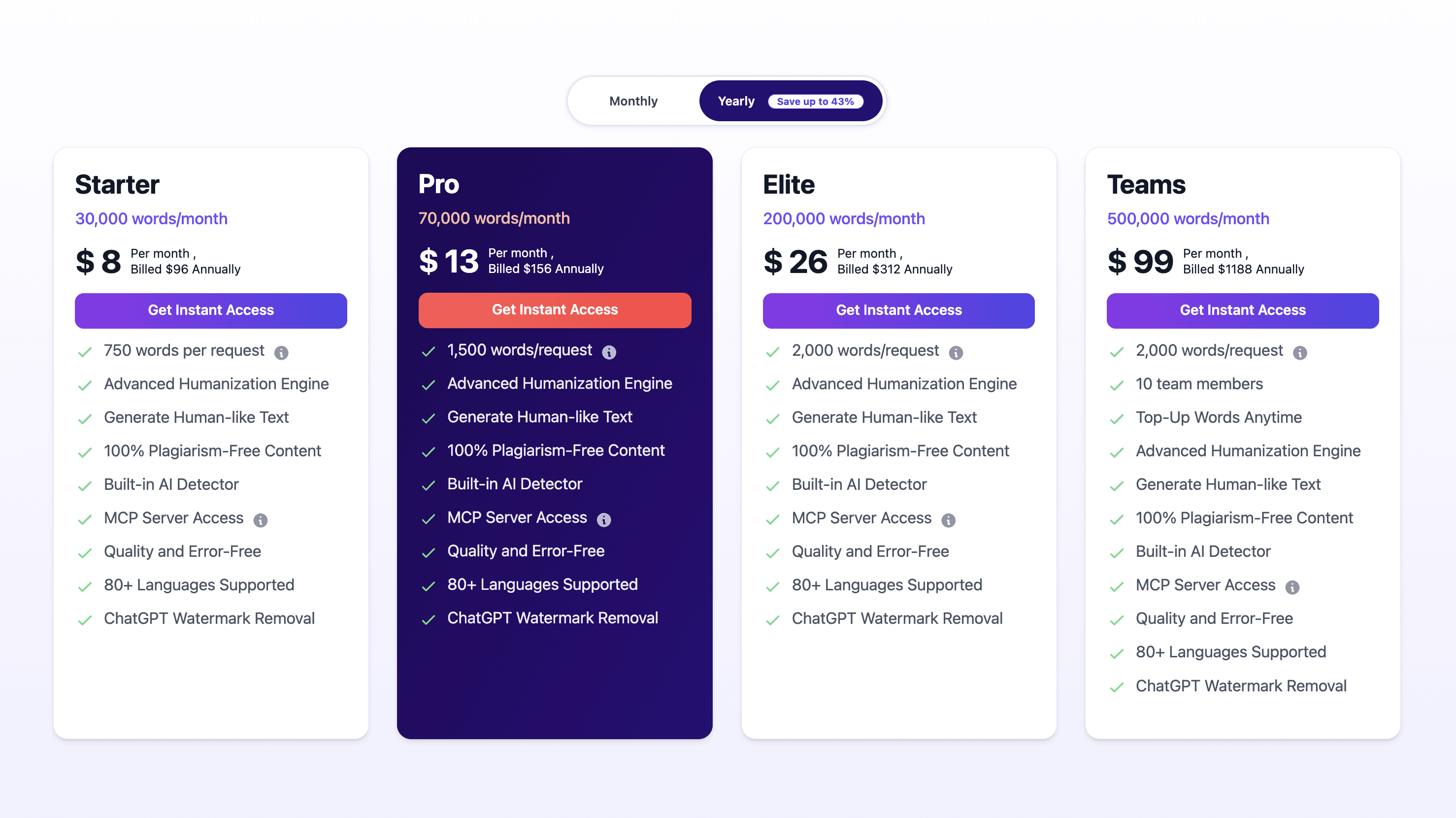
| Plan | Monthly price | Words | Notable terms |
|---|---|---|---|
| Free trial | $0 | 250 words, one-time | Enough to sample, not to evaluate |
| Starter | $14.99 (≈$10 annual) | 20,000 words/mo | Single casual mode |
| Pro | $29.99 (≈$20 annual) | 80,000 words/mo | Credits expire monthly, no rollover |
| Refund window | 7 days; auto-renews; reviewers report refunds are hard to claim | ||
On the per-word math, Walter is competitive and I won't pretend otherwise. Starter is about $0.00075 per word ($14.99 ÷ 20,000) at monthly billing, and Pro is roughly $0.00037 per word ($29.99 ÷ 80,000), genuinely efficient at volume. WriteHybrid's Starter is $9 for 10,000 words (about $0.0009 per word) and its Pro is $19 for 50,000 words with API (about $0.00038 per word). So on raw per-word cost, Walter's Starter is actually cheaper than WriteHybrid's, and the two are neck-and-neck at the Pro level. Where the comparison tilts is the entry point and the trial: WriteHybrid is cheaper to start at $9, and its recurring 500-word monthly free tier, roughly 6,000 words a year, no card, lets you keep testing real drafts indefinitely, where Walter's 250-word one-time trial is gone in a paragraph.
The honest summary: if you're a high-volume casual-content writer optimising for cost per word, Walter is a legitimately strong value. If you want to evaluate thoroughly before paying, or you need formal register, the WriteHybrid side of the ledger gets more attractive.
How to use Walter Writes for the best results
Walter rewards playing to its strength, casual content, and working around its single weakness. The workflow I'd use:
- Send it the writing it's good at. Blog posts, newsletters, social copy, and informal drafts are where the casual voice shines; lead with those.
- Clean the draft first. Fix structure and facts before humanizing, because the rewrite changes phrasing, not the substance of your argument.
- Read for register, not just detection. After the rewrite, ask whether the tone actually suits the destination, a relaxed voice that's perfect for a blog can undercut a formal report.
- Restore formality by hand where needed. For anything academic, manually reintroduce the connectives and terminology Walter softened; there's no mode that does this for you.
- Verify on the detector that grades you. Walter's built-in detector is a convenience; the result that counts is your institution's or client's checker run on your final text.
- Use credits before they expire. Because allowances don't roll over, plan your month so you're not paying for words you won't spend.
What real users say about Walter Writes
I read through Walter's public reviews across Trustpilot and the smaller aggregators, plus the scattered Reddit mentions, to test my own impressions. The first honest observation is that the reputation is genuinely polarized rather than uniformly good or bad. At the time of writing, one aggregator records around 4 stars across roughly 60 reviews, while Walter's Trustpilot profile sits closer to 2.4 stars across a few dozen reviews. Dedicated, high-traffic Reddit threads are thin, the tool's reach came largely from short-form video, where claims are made in fifteen-second clips rather than argued out in comment sections, so the written reviews carry more weight here than usual.
What satisfied users genuinely praise (and I'd echo for the right use case):
- The casual output is effective and natural on blog and marketing content; happy reviewers specifically credit it for passing their own detector checks on informal copy.
- The interface is clean, friendly, and fast, a real relief compared with the fear-based design of much of the category.
- ESL writers report it helps their informal drafts read more naturally.
The recurring complaints are concentrated on commerce rather than the core rewrite, and the same themes repeat across reviewers:
- Billing surprises. Unexpected auto-renewals and annual plans billed upfront without a clear heads-up are the most common grievance.
- Refund denials. Several reviewers describe refund requests rejected on the basis of word-usage thresholds, sometimes feeling the usage was tracked unfavourably.
- Expiring credits. Monthly allowances that don't roll over frustrate users who paid for capacity they then lost.
- Output artifacts on the wrong content. On academic and technical text, multiple reviewers report occasional grammar slips, altered meaning, added length, and run-to-run inconsistency, the same casualization and paraphraser quirks I saw firsthand.
To Walter's credit, the company replies to the large majority of its negative Trustpilot reviews, which is more engagement than several rivals manage. The fair takeaway is that this is a capable, well-liked tool for its core casual-content audience, with a commerce experience you should go into with your eyes open, read the renewal, credit-expiry, and refund terms before committing to an annual plan.
Why the late-2025 detector shift matters here
Detectors don't hold still, and that's worth keeping in mind with a tool whose viral reputation was built on "it beats Turnitin" clips. Turnitin shipped a detector update in late August 2025 aimed squarely at humanizer output patterns, and tools across the category, Walter included, per its own reviewers, became less consistent against academic checkers afterward. GPTZero, Originality.ai, and Copyleaks revise their models on their own timelines too.
The consequence is that the impressive bypass claims that powered Walter's growth describe a particular moment against a particular detector version, and the academic detectors are exactly the ones most likely to have moved since. For Walter's blog-and-marketing core, where GPTZero-style general detection is the usual concern, the tool remains a reasonable choice. For high-stakes academic submissions checked by Turnitin or Originality.ai, the viral framing is the part the current landscape supports least, which is the whole reason to verify on your own draft rather than trust a clip.
Detection: what we can and can't tell you
Here's the candid part. Walter lists detector bypass among its promises, but detection outcomes vary enormously with the exact text, its length, and which detector, and which version, runs the check. I didn't run a controlled, reproducible benchmark for this review, so I won't publish pass-rate percentages I can't defend.
The Walter-specific caution is about tone as much as scores: clearing a detector and being appropriate for your assignment are two different bars, and Walter's casual voice can pass the first while failing the second. If you're submitting formal work, read the output aloud and check the register against what the assignment actually expects, that's a failure mode no detector will warn you about. And as always, paste your real draft, humanize it, and run the output through the checker your audience uses before anything is submitted. I'd name the ones that matter, GPTZero, Turnitin, Originality.ai, Copyleaks, because they behave differently enough that clearing one tells you little about the others.
Who should use Walter Writes, and who should skip it
Consider it if you:
- write mostly casual or marketing content where a conversational register is the goal;
- are an ESL writer who wants help making informal English read more naturally;
- value a friendly, low-pressure interface over a wall of detector logos;
- optimise for cost per word at volume and will work within monthly, non-rolling credits.
Skip it if you:
- write formal academic work where the casual voice is a liability and there's no academic mode to prevent it;
- need register control, an API, or deeper integrations like Google Docs;
- want a larger trial to evaluate the register fit before paying;
- are wary of auto-renewal, upfront annual billing, and restrictive refunds.
How to get the most natural output from any humanizer
Whatever tool you land on, the habits that produce genuinely human-reading text are the same:
- Match the tool to the job. A casual-leaning humanizer is the right call for a blog and the wrong call for a thesis; pick deliberately.
- Edit the rewrite by hand. A few minutes reshaping sentence length and cutting repeated transitions beats re-running the humanizer over and over.
- Keep your own voice in the opening and closing. Those passages get read most closely by humans, who are better than any detector at sensing a synthetic tone.
- Cross-check on multiple detectors. GPTZero, Turnitin, Originality.ai, and Copyleaks disagree routinely; passing one is not passing all.
- Guard citations and key terms. Casual rewriting is especially prone to loosening precise references, fix those manually after the pass.
Frequently asked questions
Related reading
Tools worth comparing
Try WriteHybrid on your text
Paste AI-generated copy below. 500 humanized words free every month after signup.
Was this page helpful?
Your feedback helps us improve our testing write-ups.