AIHumanizer Review (2026): Pricing, Single-Mode Output, and Who It's For

Independent review
AIHumanizer
An exact-match-domain humanizer that wins instant trust on its name but ships one no-frills mode and a trial too small to judge it. Cheap per word at volume, thin on control.
Disclosure. I'm Huzefa Abbasi, founder of WriteHybrid, so I have a direct stake in this category. AIHumanizer is a competitor I've used hands-on, and everything below is based on that, on its public pricing as of June 2026, and on publicly visible user reviews, not a lab benchmark. Detection outcomes hinge on your exact text and the specific detector your school or client runs, so treat any vendor's "undetectable" promise (mine included) as a claim you verify yourself.
What AIHumanizer is, and who it's for
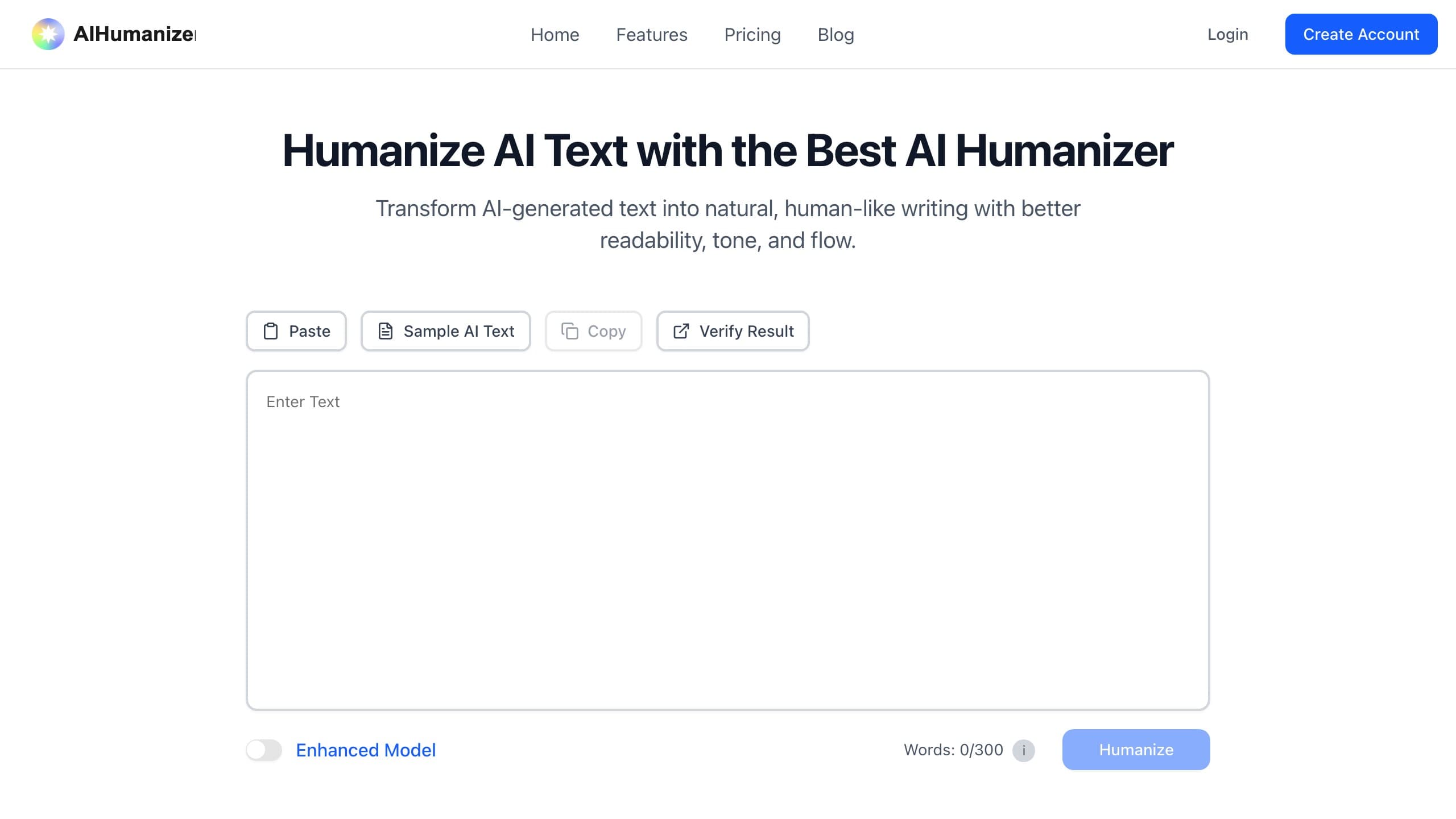
AIHumanizer.com is an exact-match-domain play: the brand is literally the search term people type. That earns it instant, unearned trust, land on a domain that spells out the thing you wanted and it feels official before you've clicked anything. The product underneath is a stripped-down paste-and-humanize editor: drop in your draft, press the button, copy the rewrite. There is no mode selector, no tone matrix, no register dial, and no wall of detector logos in the workspace. In a category that loves to over-feature, that restraint is almost refreshing, but it also means the tool has exactly one idea about how your text should sound, and it applies that idea to everything.
The realistic audience is a content marketer or casual blogger who wants the cheapest possible per-word rate, processes a fair amount of text each month, and is comfortable doing their own quality control afterward. If you write in one register and one register only, breezy web copy, say, the single mode is less of a liability. The further you drift toward graded coursework, citation-heavy research, or anything where tone is part of the grade, the more the missing controls start to bite. This review is for people deciding whether the low headline price is worth the lack of control and the thin support track record.
Key features that actually matter
Marketing pages tell you a humanizer is "advanced." Daily use tells you whether it's worth renewing. Here is where AIHumanizer earns or loses its keep.
Writing modes and tone control
There is one mode. That is the single most important fact about this tool. Most competitors give you at least a normal-versus-aggressive choice, and a few expose named registers; AIHumanizer applies one rewrite strategy to every input. In practice that strategy is light-touch, it smooths phrasing and swaps some vocabulary, but it leaves the underlying AI sentence skeleton more intact than a heavier rewrite would. For a casual blog post that reads fine. For a formal essay it can feel under-edited, because the cadence that detectors associate with machine text survives the pass. If you need an academic voice in one document and a punchy marketing voice in the next, you are doing that work by hand, before or after the tool, not inside it.
Input and word limits
The editor accepts pasted text up to roughly 7,000 characters, which is about 1,100 words. A typical 3,000-word essay therefore has to be broken into three chunks, run separately, and stitched back together, and because there's no memory across pastes, the tone can drift slightly from chunk to chunk, leaving you to even it out manually. For short-form work (a blog post, an email, a product description) the whole thing fits in a single pass and the cap never bothers you. For long-form academic or report writing, the splitting becomes a small but real recurring tax on your time.
Free trial and what it actually lets you test
AIHumanizer's trial is 300 words, granted once for the life of the account. That is a couple of short paragraphs, enough to confirm the editor loads and produces something, nowhere near enough to evaluate how the tool handles your specific writing across a full document. Crucially, 300 words won't tell you how the single mode treats a citation-dense paragraph versus a conversational one, which is exactly the variation that matters. You are, in effect, asked to buy first and evaluate second. For a category where output quality varies so much by input, that is the wrong way round.
API, extensions, and integrations
There is no public API, no Chrome extension, and no Word or Google Docs add-in. AIHumanizer is a website you open, paste into, and copy out of. If you want to wire humanizing into a publishing pipeline or batch-process content programmatically, this isn't the tool, you'd be scripting around a manual UI. For comparison, an integrated workflow is the main reason to reach for a humanizer that ships an API at all, and AIHumanizer simply doesn't.
Editor experience
To its credit, the editor is fast and uncluttered. Output renders in seconds, the layout is a plain before/after, and there's nothing to learn, the simplicity that costs you control also buys you speed. There are no projects, no saved history, and no document management, so if you close the tab the work is gone. It's a single-purpose utility, and on the narrow job of "paste, rewrite, copy" it does the job without friction.
Support and billing
This is the part to read twice. AIHumanizer's public review footprint is small, but the reviews that exist lean heavily on billing problems rather than output quality, surprise annual charges, plans that ran concurrently after an upgrade, and refund requests inside the stated window that went unanswered across email and social channels. The refund window itself is short (7 days). None of that is unusual for a small humanizer brand, but combined with a trial too small to evaluate the product, it means a lot of people are paying before they're confident, and then struggling to get out. Read the cancellation terms carefully and avoid annual billing until you've proven the tool on your own work.
Hands-on: what the output actually looks like
Across a handful of real drafts, the single mode behaves consistently: it lightens formal phrasing, trades a few words for plainer synonyms, and relaxes sentence rhythm, but it rarely restructures. On conversational source text that reads natural and clean. On dense technical or academic source text, the rewrite preserves more of the original machine cadence than a heavier humanizer would, which is the trade you make for a light-touch, one-size approach.
The sample below shows the kind of transformation the single mode tends to produce on a technical passage. It illustrates register and style, it is not a detection claim and not a pass/fail result.
The practical read: this is a competent surface-level rewriter. If your standard is "make this blog post sound less robotic," it clears the bar. If your standard is "rework this essay so a graded-submission checker treats it the way it treats my own writing," you'll want to do real editing on top, because a light pass on formal text leaves more behind.
The exact-match-domain trust trap
It's worth naming the psychology AIHumanizer trades on, because it affects how you should evaluate it. When the domain is the exact phrase you searched, your brain quietly grants it authority, it feels like the official answer rather than one option among dozens. That instinct is wrong, and it's worth resisting deliberately. An exact-match domain tells you the owner registered a good keyword years ago; it tells you nothing about output quality, support, refund honesty, or how the tool holds up after a detector update. Some of the strongest products in this category have invented brand names, and some of the weakest own the most literal domains.
So treat the name as marketing, not evidence, and judge the same three things you'd judge for any humanizer with a made-up name. First, the trial: can you actually evaluate the product before paying? Here the answer is a clear no, 300 words is a teaser, not a test. Second, the controls: does the tool give you the levers your work needs? With one mode, the answer is "only if your work fits its single register." Third, the exit: if the product disappoints, can you get your money back without a fight? The thin, billing-complaint-heavy review history is the least reassuring of the three. None of those questions are answered by the domain, they're answered by the checkout page and the support inbox, which is exactly where you should be looking.
The reason this matters practically is that exact-match branding tends to attract first-time, price-led buyers who haven't used a humanizer before, precisely the people least equipped to spot a thin trial or a hard refund until they're already charged. If that's you, the safest move is to assume the brand earns no extra credit, and to validate the product the way you would any unknown tool.
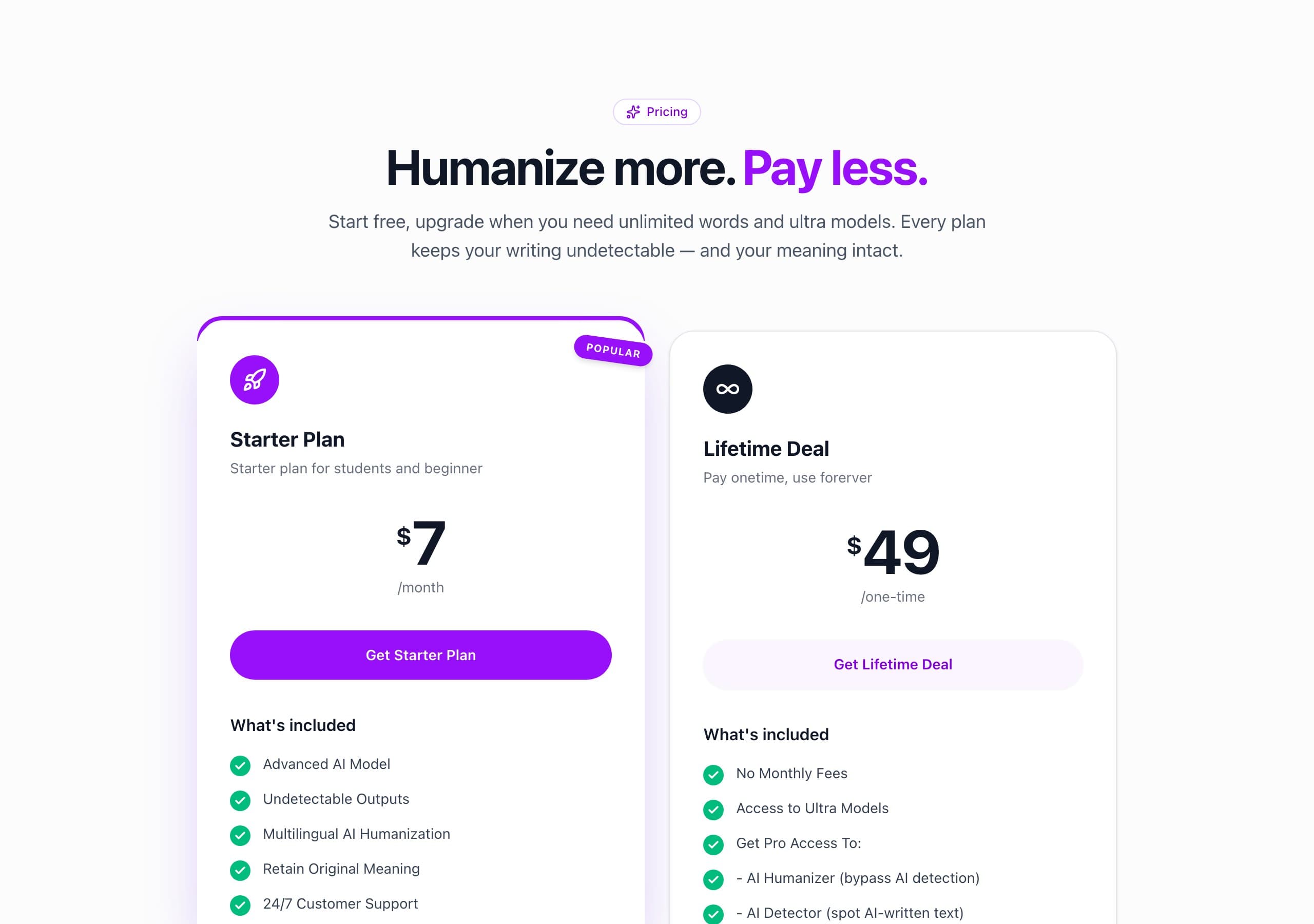
Pricing (verified June 2026)
I checked AIHumanizer against its live checkout in June 2026. Annual and monthly toggles change the headline numbers, and small tools adjust pricing often, so confirm the figures at checkout before you subscribe.
| Plan | AIHumanizer | WriteHybrid |
|---|---|---|
| Free | 300 words, one-time (lifetime) | 500 words/month, recurring, no card |
| Entry paid | $12/mo, 25,000 words (Basic) | $9/mo, 10,000 words (Starter) |
| Higher tier | $25/mo, 100,000 words (Pro) | $19/mo, 50,000 words (Pro, + API) |
| Modes | One (no register controls) | Academic, Marketing, Casual, Technical |
| Refund window | 7 days | 14 days |
On the math, AIHumanizer is genuinely cheap at volume. Basic works out to about $0.0005 per word ($12 ÷ 25,000), and Pro lands near $0.00025 per word ($25 ÷ 100,000); annual billing pushes the effective monthly rate lower still, to roughly $9 and $19 respectively. WriteHybrid Starter is about $0.0009 per word ($9 ÷ 10,000), pricier per word, but with four modes and a recurring free tier behind it. So the honest framing is volume-dependent: if you reliably process tens of thousands of words a month in a single casual register, AIHumanizer's per-word rate is hard to beat. If you process less, or you need register control, the cheaper unit price stops being the deciding factor, and the 300-word trial means you can't confirm the output is good enough before that first charge lands.
How to use AIHumanizer for the best results
The workflow is short, and your habits around it matter more than the tool itself:
- Clean the draft before you humanize. Fix factual, structural, and argument problems first. A humanizer rephrases; it does not improve your reasoning, and AIHumanizer's light pass especially won't rescue a weak draft.
- Chunk long documents deliberately. With a ~7,000-character cap, split at natural section breaks rather than mid-paragraph, so each pass keeps a coherent unit of meaning and the tone doesn't fracture.
- Read every output aloud. The single mode is light-touch, so it's easy to assume it changed more than it did. Reading the result catches the sentences that still carry an obvious machine cadence.
- Protect citations, names, and technical terms by hand. Any humanizer can quietly alter a quoted source or a defined term. Lock those down after the rewrite, not before.
- Verify on the detector that actually grades you. Run the final text through the exact checker your institution or client uses, Turnitin, GPTZero, Originality.ai, whatever it is, because that result is the only one that counts.
What real users say about AIHumanizer
I went looking for a representative body of independent reviews and, honestly, there isn't much of one. AIHumanizer.com has very little public review history, and the nearest Trustpilot listing, for the sibling aihumanizer.ai domain, carries only a small handful of entries, far too few to treat as a statistically meaningful rating. I won't quote a star score with confidence off a sample that thin, and I'd be wary of anyone who does.
What the few reviews that exist do share is a pattern worth flagging, because it's about money rather than taste: multiple reviewers describe surprise charges (one upgrade leaving two plans running at once, then an unexpected annual charge), and refund requests made inside the stated window that simply went unanswered across email and social media. A small number of positive reviewers say it does the basic job for their content. The takeaway isn't "scam", it's "thin track record, billing complaints over-represented." With a trial too small to evaluate the product first, that combination is reason to be cautious with your payment details and to avoid committing to annual billing early.
Why the late-2025 detector shift matters here
This category stopped being static in 2025. Turnitin shipped a detector update in late August 2025 that specifically targeted the patterns humanizers leave behind, and tools across the board produced less consistent results afterward. GPTZero, Originality.ai, and Copyleaks all iterate on their own timelines too. For a light-touch single-mode tool like AIHumanizer, that shift matters more than average: a pass that leaves the underlying structure largely intact has less margin when a detector gets better at spotting exactly that structure. The practical consequence is simple, any "it passes" claim you read, including older reviews of this tool, describes one moment against one detector version. By the time you paste your own essay, the detector may have moved, which is the whole reason to test your real draft rather than trust a number.
Detection: what we can and can't tell you
Let me be straight with you here. AIHumanizer's entire pitch rides on its name and the implied promise of slipping past detectors, but detection outcomes swing enormously with the exact text, its length, and which detector, and which version of that detector, runs the check. I did not run a controlled, reproducible test for this review, so I won't publish the kind of pass-rate figures I'd have no way to defend.
What I can tell you from using it: the single mode produces a light, natural-reading rewrite on casual content, and formal academic passages dense with preserved terminology are exactly where this tool, like any humanizer, is most likely to leave detectable patterns, because it restructures the least. If a graded checker stands between you and a submission, the only result with any weight is the one you generate yourself. Paste your real draft, humanize it, and run the output through the detector your audience actually uses before submitting anything graded.
Who should use AIHumanizer, and who should skip it
It's a reasonable pick if you're a high-volume content marketer writing in one casual register, you want the lowest per-word rate you can find, and you're happy to do your own quality control and verification afterward. It also suits anyone who has already validated it on their own detector and just wants a cheap, fast utility for short-form work that fits inside the character cap.
Skip it if you need register control, distinct academic-versus-marketing handling rather than one mode for everything. Skip it if you want to evaluate before paying, because the 300-word trial makes a real evaluation impossible. Skip it if you need an API, a browser extension, or a Word add-in, none of which exist here. And weigh the billing complaints seriously if you're a student on a tight budget who can't afford a charge you can't reverse.
How to get the most natural output
Whatever tool you land on, a few evergreen habits do more for naturalness than re-running any humanizer:
- Treat the rewrite as a first pass. A short manual edit, varying sentence length, cutting a repeated transition, breaking up a uniform paragraph, beats running the tool five times.
- Vary your rhythm on purpose. A perfectly even cadence is itself a tell; let some sentences run long and others land short.
- Keep your own voice in the intro and conclusion. Those are the sections a human reader (or grader) scrutinizes hardest, so they're worth writing yourself.
- Run the result through more than one detector. GPTZero, Turnitin, and Originality.ai disagree constantly, so clearing one is not clearing all of them.
- Never submit unread. A light-touch tool can leave a machine sentence or a broken citation in place, the fastest way to get flagged is pasting output you didn't check.
Bottom line
AIHumanizer is a cheap, fast, single-purpose rewriter that does its narrow job and not much more. If you process a lot of casual content in one register, watch your spend closely, and treat the output as a first draft you'll clean up, the per-word rate is legitimately attractive. But the combination that defines it, one mode, a 300-word trial you can't really evaluate with, and a thin review history weighted toward billing complaints, means you're asked to trust before you can verify, and to pay before you can judge. For most people, and especially for students on graded work, a tool with a real free tier and register controls is the safer bet. If you do try AIHumanizer, go in on monthly billing, prove it on your own draft and your own detector first, and keep your payment details guarded.
Frequently asked questions
Related reading
Try WriteHybrid on your text
Paste AI-generated copy below. 500 humanized words free every month after signup.
Was this page helpful?
Your feedback helps us improve our testing write-ups.