WriteHybrid vs Humbot (2026): Volume Pricing vs Dedicated Modes
Side-by-side comparison


Disclosure. I'm Huzefa Abbasi, founder of WriteHybrid, so I have an obvious stake in this comparison. Humbot is a competitor I've used hands-on, and everything below is based on that, on each tool's public pricing as of June 2026, and on publicly visible user reviews, not a lab benchmark. Detection outcomes depend on your exact text and the specific detector your institution or client runs, so treat any tool's "undetectable" marketing (mine included) as a claim you verify yourself.
What you're actually choosing between
Both tools do the same core job: paste an AI-generated draft, choose how hard to rewrite it, and get back something that reads more like a person wrote it. The difference is philosophy. Humbot is a volume machine, it prices words cheaply at scale, accepts large pastes, and assumes you'll review the output before it goes live. WriteHybrid is a register machine, it asks what kind of writing you're producing (academic, marketing, casual, technical) and tunes the rewrite to that, with a recurring free tier so you can test before paying.
Humbot, run out of Singapore and live since 2023, targets SEO teams, agencies, and freelancers who churn through content. Its headline pitch pairs "undetectable" with "100% plagiarism-free." WriteHybrid is the smaller, cheaper-to-start option aimed at students, individual writers, and small teams who care more about getting the register right than about squeezing the lowest possible per-word rate.
So the honest first question isn't "which is better", it's "how many words do you run through a humanizer in a month, and how much manual cleanup are you willing to do?" If the answer is "thousands, and I'll edit," Humbot's economics are hard to beat. If it's "not that many, and I'd rather it land closer to right the first time," the cheaper-per-word tool stops being the cheaper tool once you count your own time.
Humbot wins on raw per-word cost at high volume; WriteHybrid wins on free-tier testing, mid-volume value, and register-specific modes you don't have to babysit.
Best for: High-volume content producers weighing Humbot's cheap words against WriteHybrid's recurring free tier and mode control, and who will verify detection on their own checker.
Pros
- +Humbot: very low per-word cost on higher-volume plans
- +Humbot: large ~30,000-character input cap and three aggression settings
- +WriteHybrid: recurring 500-word monthly free tier (no card)
- +WriteHybrid: distinct Academic, Marketing, Casual, Technical modes
Cons
- −Humbot: bulk processing is gated to the top Ultra tier
- −Humbot: aggressive mode swaps in wrong synonyms and drifts meaning
- −Humbot: only a 300-word lifetime trial; mixed refund reputation
- −WriteHybrid: not the cheapest option for very high word volumes
Key features that actually matter
Headline marketing rarely tells you what daily use feels like. These are the dimensions that actually change your experience, broken down per tool.
Writing modes and tone control
Humbot gives you three aggression levels, light, balanced, and aggressive. They're a single dial: each step rewrites more of the original, in roughly the same neutral-blog voice. Light barely touches the text; balanced is the sweet spot for readability; aggressive reaches for more dramatic vocabulary and is where meaning starts to slip. There's no separate "academic" versus "marketing" target, you control intensity, not register.
WriteHybrid takes the opposite approach. Instead of one intensity slider, it exposes four named registers, Academic, Marketing, Casual, and Technical, and tunes both vocabulary and sentence rhythm to the target. Academic mode preserves formality and hedging language; Marketing mode tightens copy and cuts filler; Technical mode tries to keep terminology and precision intact. If your work spans different formats, choosing the register up front tends to need less cleanup than nudging an intensity dial after the fact.
Input and word limits
Humbot's input cap is generous: around 30,000 characters per paste, roughly 4,600 words, so a full long-form article usually fits in one go. File uploads are supported but require an account. Monthly word allowances are tied to the plan, 50,000 words on Basic, up to 600,000 on Ultra, and bulk processing (queuing many documents at once) is locked to that top Ultra tier.
WriteHybrid's allowances are lower by design: 10,000 words a month on the $9 Starter and 50,000 on the $19 Pro. That's plenty for a student or a solo writer but not aimed at agency-scale churn. The trade is that you're not paying for capacity you won't use, and the free tier refreshes every month rather than expiring once.
Free tier and trial
This is one of the starker contrasts. Humbot's free allowance is 300 words, granted once, for the lifetime of the account, enough to watch the editor rewrite a single paragraph and not much more. WriteHybrid's free tier is 500 words every month, recurring, with no card required. Over a year that's roughly 6,000 words you can keep using to test new drafts, re-check after a detector update, or humanize the occasional short piece without paying at all.
API, extensions, and integrations
If you're automating a content pipeline, WriteHybrid offers API access on the $19/month Pro plan, so you can wire humanizing into an existing workflow rather than pasting by hand. Humbot's automation story is the bulk processor on Ultra, useful for batch jobs through the web app, but a different model from a developer API. Neither tool leans heavily on browser extensions or word-processor add-ins, so both are primarily web-app experiences.
Editor UX and speed
Humbot's editor is deliberately minimal: paste, pick an intensity, run. Rewrites typically return in well under half a minute. The simplicity is a genuine strength for first-time users, there's almost nothing to learn. The flip side is that the only feedback you get is the rewritten text itself; the on-site "AI check" is the vendor's own and shouldn't be mistaken for an independent verdict.
WriteHybrid's editor adds the mode selector as the main decision point and otherwise stays out of the way. Neither tool is slow or cluttered; the real UX difference is whether you'd rather make one intensity choice (Humbot) or one register choice (WriteHybrid).
Support and billing experience
Billing is where Humbot's reputation takes its biggest hits. Reviewers repeatedly describe accidental yearly purchases, renewal surprises, and slow or templated responses when they ask for a refund or a corrected invoice, and the refund window itself is a short 7 days. WriteHybrid runs a 14-day refund window and opt-in billing, which is a deliberate response to exactly the kind of friction Humbot's reviews describe.
WriteHybrid vs Humbot, head to head
Pricing aside, four things decide whether a tool fits your week: how good the output is, how much control you get, how quickly you can work, and how the company treats you after you pay. Here's how the two compare on each.
Output quality
On clean, conversational source material, blog intros, SEO body copy, general explainers, Humbot's balanced mode produces perfectly usable prose. Where it struggles is precision: on the aggressive setting it swaps in synonyms that don't quite fit and can bend a sentence's meaning, and on anything with numbers, dates, or named entities it occasionally softens specifics ("in 2024" drifting toward "in recent years"). WriteHybrid's register-aware modes are built to hold that precision better, which matters most on academic and technical drafts.
Customization and control
Humbot gives you intensity; WriteHybrid gives you register. Intensity is simpler to reason about, but register maps more directly to what you're actually writing. If you only ever produce one kind of content, Humbot's dial is fine. If you switch between an essay, a landing page, and a technical doc in the same week, picking a register per piece is the more useful control.
Ease of use
Both are genuinely easy. Humbot edges ahead on raw simplicity, there is almost nothing to decide beyond the intensity level. WriteHybrid asks one extra question (which register), which is a small upfront cost that usually saves cleanup later. Neither has a meaningful learning curve.
Support and billing
This is the clearest separation. WriteHybrid's 14-day refund and opt-in renewal are designed to avoid the exact complaints that dominate Humbot's reviews: surprise charges, hard-to-reach support, and a tight refund window. If billing peace of mind matters to you, it's a real differentiator rather than a marketing line.
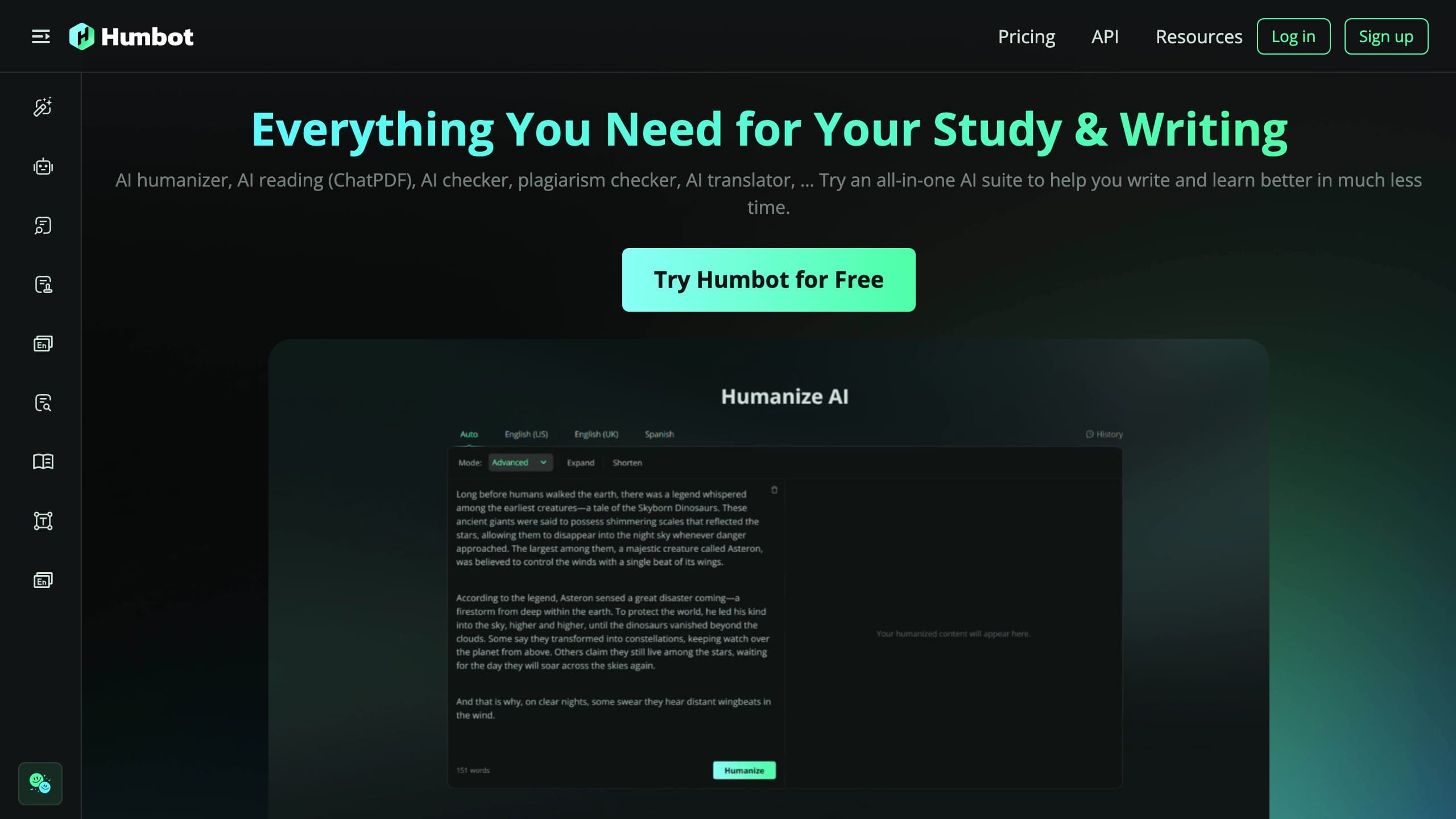
An illustrative rewrite
This shows the style Humbot's balanced mode tends to produce. It illustrates register, not detection, it is not a pass/fail claim:
The "100% plagiarism-free" claim, in plain terms
Humbot's marketing bundles "100% plagiarism-free" with "undetectable," and it's worth separating them because they describe two unrelated outcomes. Plagiarism checking asks whether your text matches existing published sources verbatim. AI detection asks whether the writing pattern looks machine-generated. A rewrite can sail through a plagiarism scan and still get flagged by an AI classifier, because the second check isn't looking for copied phrases, it's looking for statistical fingerprints in how the sentences are built.
Treat the plagiarism badge as marketing rather than a guarantee. If either originality or AI detection actually gates your work, run both checks yourself: a plagiarism scan for source matches, and your own AI detector for the machine-text question. Conflating them is the single most common way people get a nasty surprise after submitting.
Pricing (verified June 2026)
I checked both tools against their live checkouts in June 2026. Annual toggles lower the effective monthly rate and headline numbers move, so confirm at checkout before subscribing.
| Plan | WriteHybrid | Humbot |
|---|---|---|
| Free | 500 words/month, recurring, no card | 300 words, one-time (lifetime) |
| Entry paid | $9/mo, 10,000 words (Starter) | $9.99/mo, 50,000 words (Basic) |
| Higher tier | $19/mo, 50,000 words (Pro, + API) | $49.99/mo, 600,000 words (Ultra, bulk) |
| Modes | Academic, Marketing, Casual, Technical | Light, Balanced, Aggressive |
| Refund window | 14 days | 7 days |
The volume math is real and worth stating plainly. Humbot Basic at $9.99 for 50,000 words is roughly $0.0002 per word; its Ultra tier at $49.99 for 600,000 words drops to about $0.00008 per word. WriteHybrid Starter is $0.0009 per word ($9 ÷ 10,000), and Pro lands near $0.0004 per word ($19 ÷ 50,000). If you're publishing tens of thousands of words a month and you'll manually review the output, Humbot's gap is genuinely meaningful and I won't pretend otherwise.
Below those volumes the picture flips. WriteHybrid's recurring 500 words a month adds up to about 6,000 words a year you can use to test on your own drafts, while Humbot's 300-word lifetime trial is gone in a single section. And the per-word saving only counts if the first pass is usable, every aggressive-mode sentence you have to rewrite by hand is time that erodes the discount. The other line item that doesn't show on the price page is refund risk: a 7-day window plus the billing complaints below means the effective cost of a bad fit can be a full subscription term.
How to use Humbot and get the best results
If you do try Humbot, a little discipline makes the output far more usable:
- Start in light or balanced mode, not aggressive. Aggressive saves a re-edit only if you don't mind fixing wrong-synonym swaps. For anything you'll submit, balanced is the safer default.
- Paste in sections, even though it accepts long input. Rewriting a 1,000-word chunk at a time makes it easier to spot where meaning drifted than scanning a 4,000-word wall of changes.
- Read for facts first, style second. Check every number, date, and proper noun against your original, these are where Humbot is most likely to introduce errors.
- Ignore the on-site AI check as proof. Use it as a rough hint, then verify on an independent detector (see below).
- Do a light human pass. Re-add a sentence in your own voice, fix any phrase that reads oddly, and you'll usually end up with cleaner text than the raw output.
What real users say about Humbot
I read through Humbot's public Trustpilot profile and Reddit mentions to check my own impressions against a larger sample. At the time of writing, Humbot holds roughly a 2.4-star Trustpilot rating across 85+ reviews (the exact figure and count vary by regional Trustpilot domain), which Trustpilot labels "Poor." That's a low rating, so it's worth being precise about what reviewers actually complain about.
What satisfied users tend to praise:
- Fast and genuinely handy for routine work, several reviewers use it daily for reports and quick rewrites.
- Simple, low-friction interface that gets a first-time user a result in seconds.
- A few reviewers describe responsive, kind customer service when they reach a human.
The recurring complaints, repeated by different people, are the part to weigh:
- Still flagged as AI: the single most common theme is reviewers humanizing text and still seeing it detected, some report Humbot's own checker calling its own output "100% AI."
- Meaning and synonym drift: multiple reviewers describe wrong-synonym swaps and "illogical" phrasing on the stronger settings, the same behavior I saw in aggressive mode.
- Billing and refund friction: several describe accidental yearly purchases, renewal surprises, and slow or absent responses when asking for a refund or invoice correction.
None of this makes Humbot a scam, plenty of people use it happily for low-stakes, high-volume content, and the company does reply to a large share of negative reviews. But if you're a student with a graded submission, the "still flagged after humanizing" reports and the refund friction are worth taking seriously before you commit to an annual plan.
The detector landscape shifted in late 2025, and it matters here
This category isn't static. Turnitin shipped a detector update in late August 2025 that specifically targeted humanizer output patterns, and tools across the board, Humbot included, per its own recent reviews, saw less consistent results afterward. GPTZero, Originality.ai, and Copyleaks all iterate on their own schedules too.
The practical takeaway holds no matter which tool you pick: any "undetectable" or bypass figure you read in a review is a snapshot of one moment against one detector version. By the time you paste your real essay, the detector may have moved. That's exactly why WriteHybrid no longer publishes headline bypass percentages and instead points you to test your actual draft, the only check that reflects today's detector on your real text.
Detection: what we can and can't tell you
This is the honest part. Humbot markets itself on beating named detectors and being "100% plagiarism-free," but detection outcomes vary enormously with the exact text, its length, and which detector, and which version of it, runs the check. Neither I nor Humbot can promise a result for your specific draft, and I won't publish pass-rate percentages I can't stand behind.
What I can say from hands-on use: balanced-mode rewrites read naturally on blog and SEO copy, while dense academic or technical passages, the ones where terminology and citations have to survive, are where any humanizer is most likely to leave detectable patterns or drift the facts. If your work goes through an institutional checker like Turnitin, the only number that matters is your own. Humanize your real draft, then run the output through the detector your audience actually uses (GPTZero, Originality.ai, Copyleaks, or whatever your institution runs) before you submit anything graded.
When Humbot is the better pick
- You produce high word volumes and want the lowest per-word cost in the category.
- You're comfortable manually reviewing every output rather than trusting it as-is.
- You want a large input cap so long articles don't need splitting.
When WriteHybrid is the better pick
- Your volume is light to moderate and a recurring free tier to test with matters.
- You want register-specific modes rather than an aggression slider you have to babysit.
- You need API access, value meaning preservation on numbers and names, or simply prefer the lower $9 entry, the 14-day refund, and opt-in billing.
Neither tool should be chosen on a vendor's own detection marketing. Use the free options to run the same passage through both, then check it on the detector you actually care about.
How to get the most natural output
These habits help with any humanizer, Humbot, WriteHybrid, or anything else, because they target the things detectors and human readers both notice:
- Match the mode to the work. A marketing register on an essay, or an aggressive intensity on a precise technical doc, is the fastest route to output that reads "off." Pick the closest fit and adjust.
- Always do a manual pass. The most natural drafts are humanizer output plus a few of your own sentences. Add a personal observation, vary one or two sentence openings, and cut any phrase that sounds robotic.
- Keep citations and quotes intact. Humanizers can mangle reference formatting and direct quotes. Lock those down and re-check them after rewriting.
- Run the result through more than one detector. GPTZero, Originality.ai, and Copyleaks disagree constantly. If your draft reads clean across a couple of them and the one your institution uses, that's far more meaningful than any single score.
- Protect your facts. Re-read every number, date, and name against the original, humanizers optimize for flow, not accuracy.
- Don't over-humanize. Running text through aggressive settings repeatedly degrades quality fast. One good pass plus a human edit beats five machine passes.
Frequently asked questions
Related reading
Try WriteHybrid on your text
Paste AI-generated copy below. 500 humanized words free every month after signup.
Was this page helpful?
Your feedback helps us improve our testing write-ups.